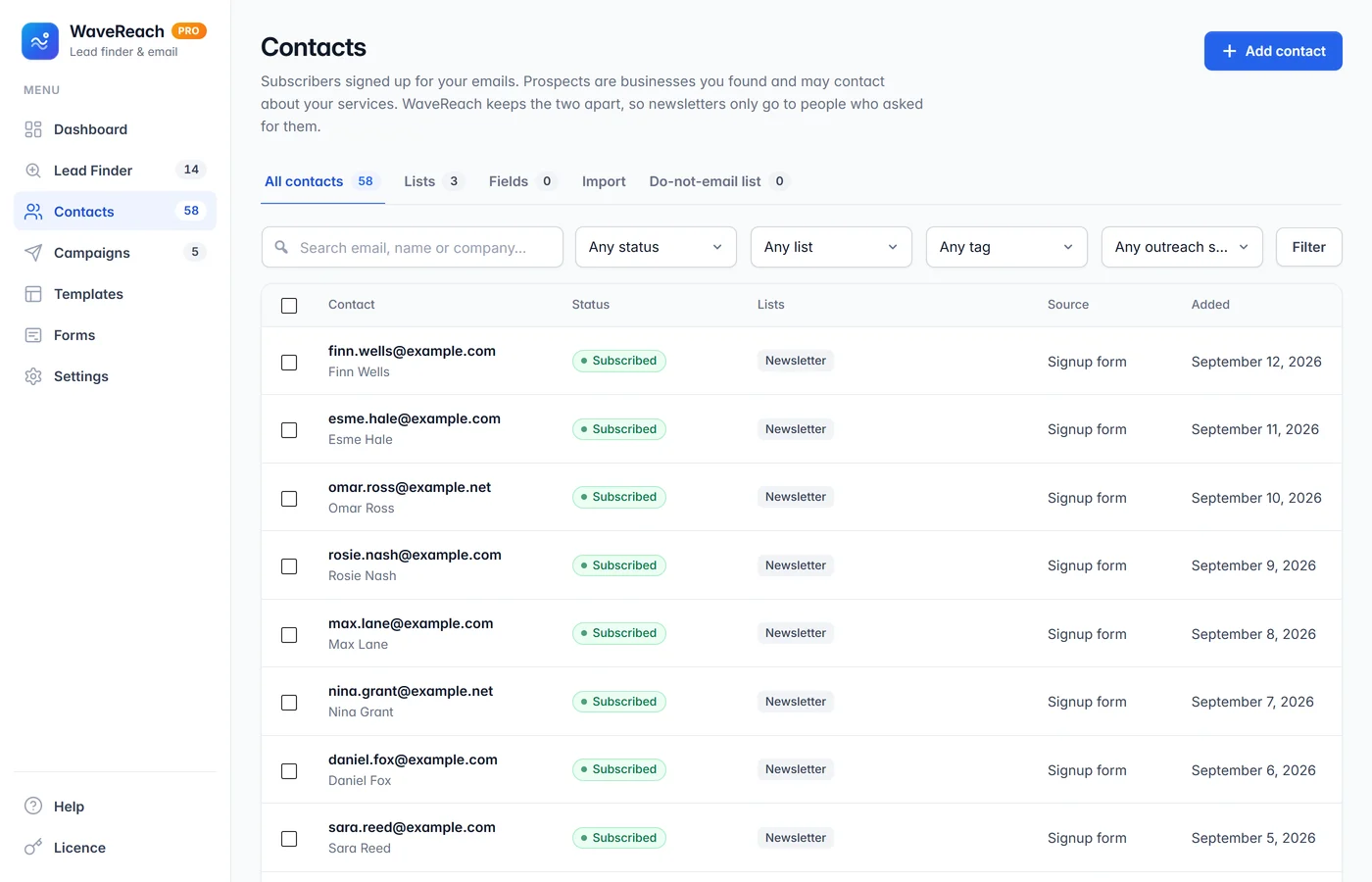
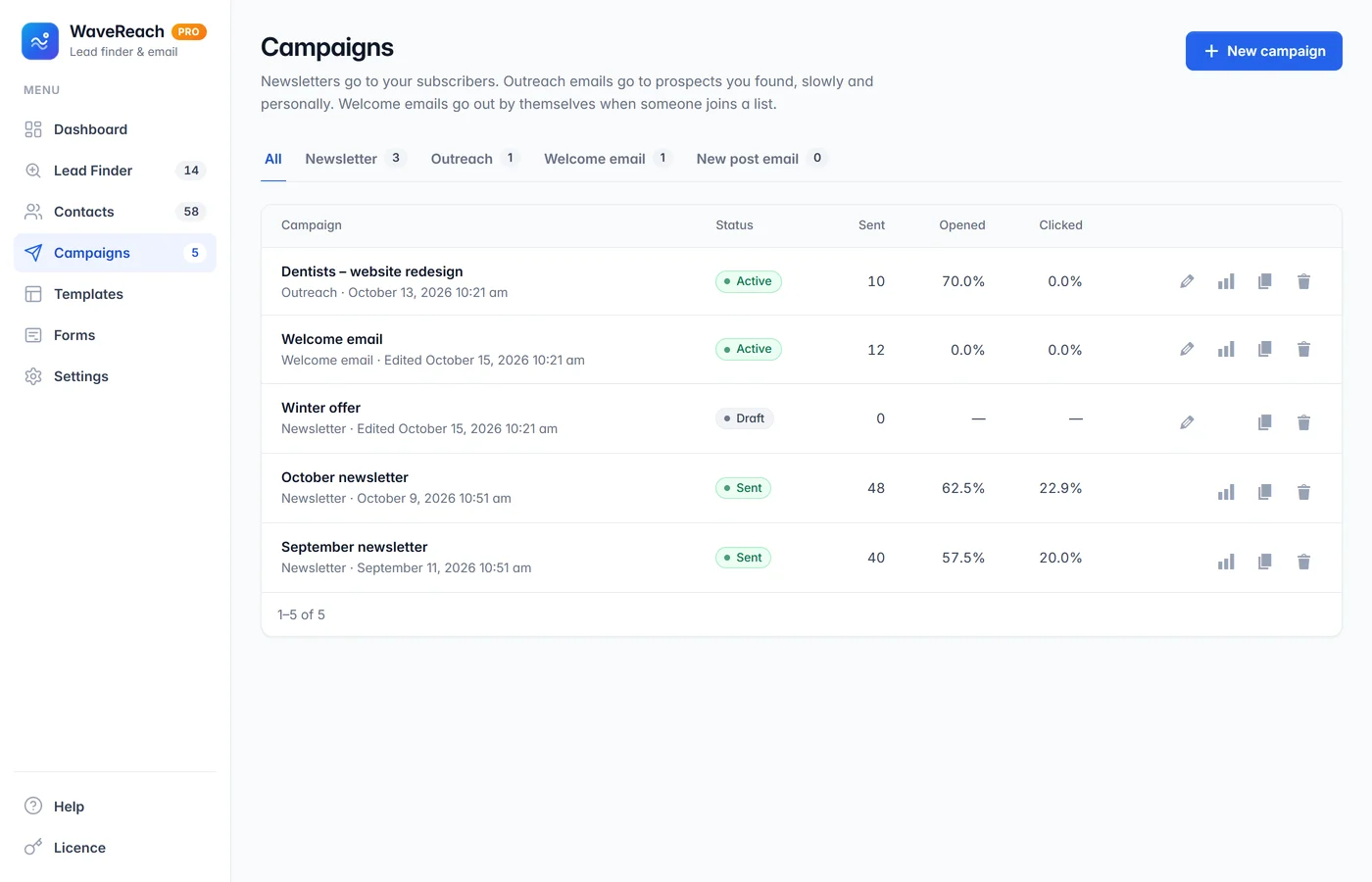
Type a business type and the places you want — WaveReach finds the businesses, visits their own websites and collects the email addresses, phone numbers and social profiles they publish. Every website is checked against the business, so you only keep contacts you can trust. Then send outreach and newsletters from your own WordPress.
Free Lead Finder — no paid service or subscription needed
Up to 20 places in one search, results without repeats
Every result checked: name, phone, postcode or street
Newsletters, outreach, follow-ups, templates and signup forms
Version 1.3.0 · Pro 1.2.0 · WordPress 6.5 or newer · PHP 8.0 or newer
Free Lead Finder, no subscription
Every website checked
Your contacts stay on your website
Unsubscribe and privacy built in
Built and used by ESOFTWAVE
Why it matters
Finding customers, before and after WaveReach
Without WaveReach
Hours copying names and emails from map listings
Monthly fees for lead databases
Wrong or outdated email addresses that bounce
Contacts in a spreadsheet, emails in another tool
Forgetting to follow up — and losing the deal
With WaveReach
One search for many towns, done in the background
A free Lead Finder that runs on your own website
Each website checked against the business before you write
Prospects, campaigns and results in one place
Follow-ups that go out by themselves and stop on a reply
Lead Finder
Many places,one search.
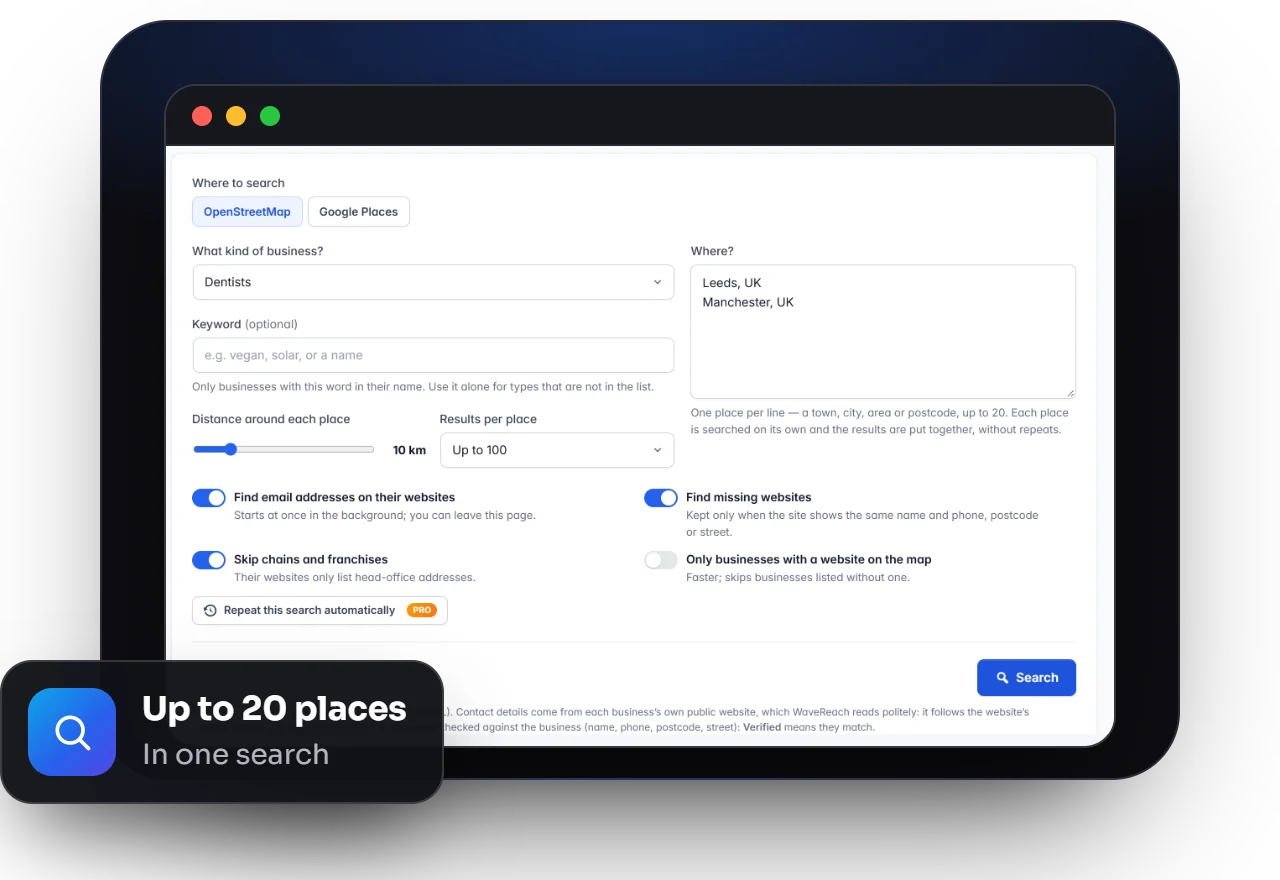
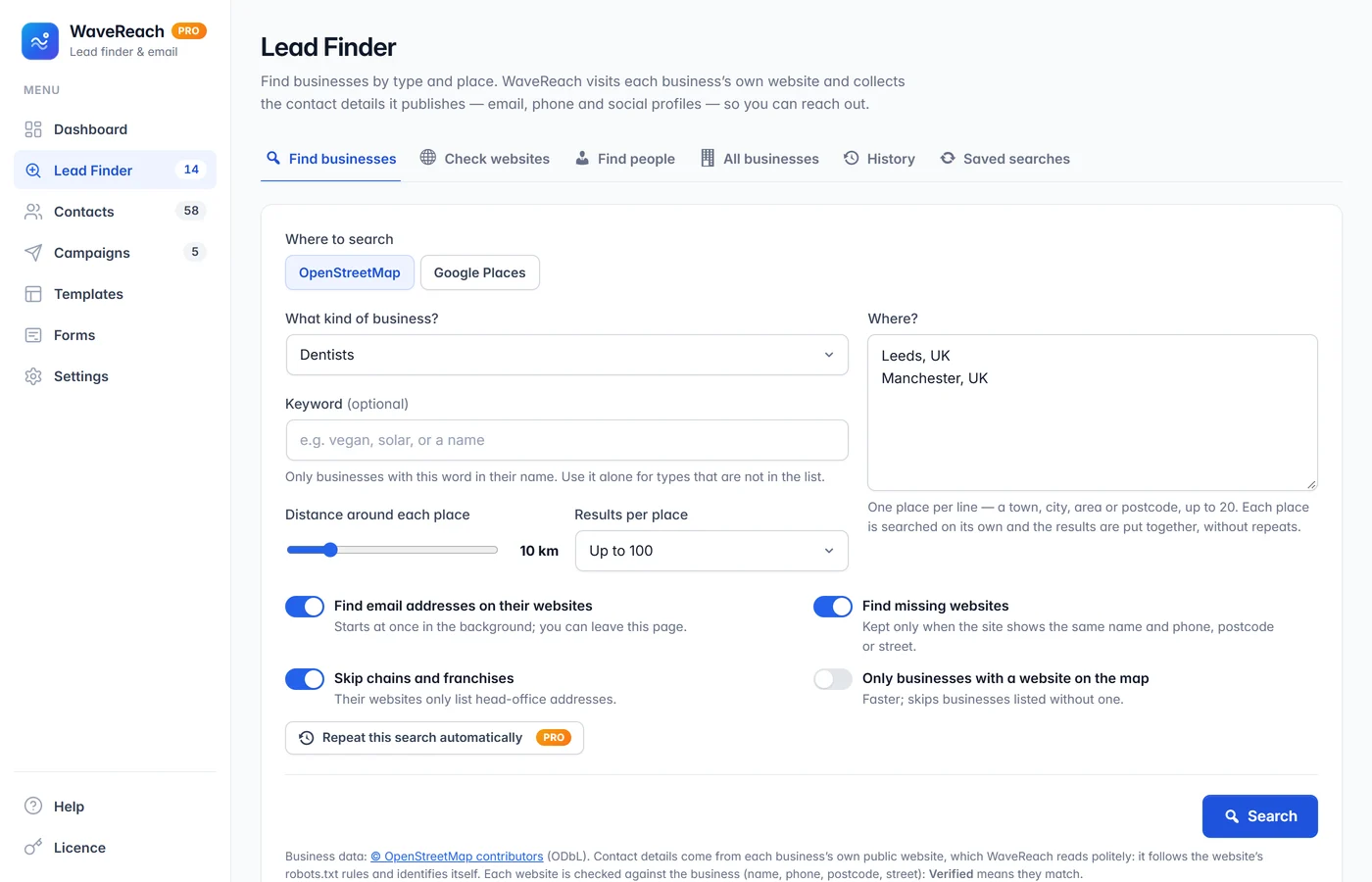
Choose a business type — around 75 are ready, from dentists and cleaners to lawyers and builders — or type a keyword. Add up to 20 towns, cities, areas or postcodes, set the distance and how many results you want per place. WaveReach searches them one after the other and puts everything in one list without repeats.
Business type, keyword, places, distance and results per place
Businesses found by their map type and by their name
Skip chains and franchises with one switch
Runs in the background — you can close the page
Accuracy first
Contacts you canrely on.
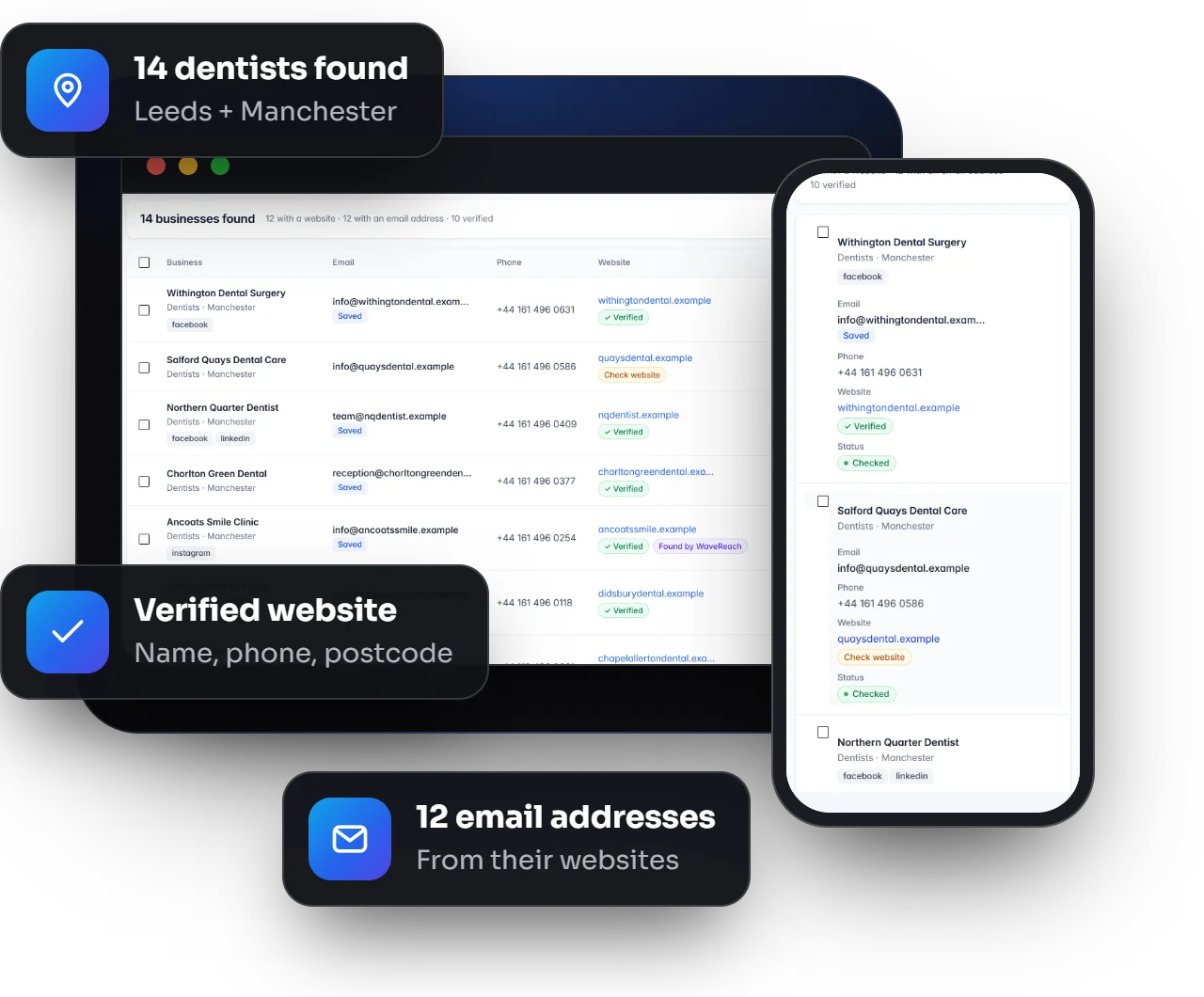
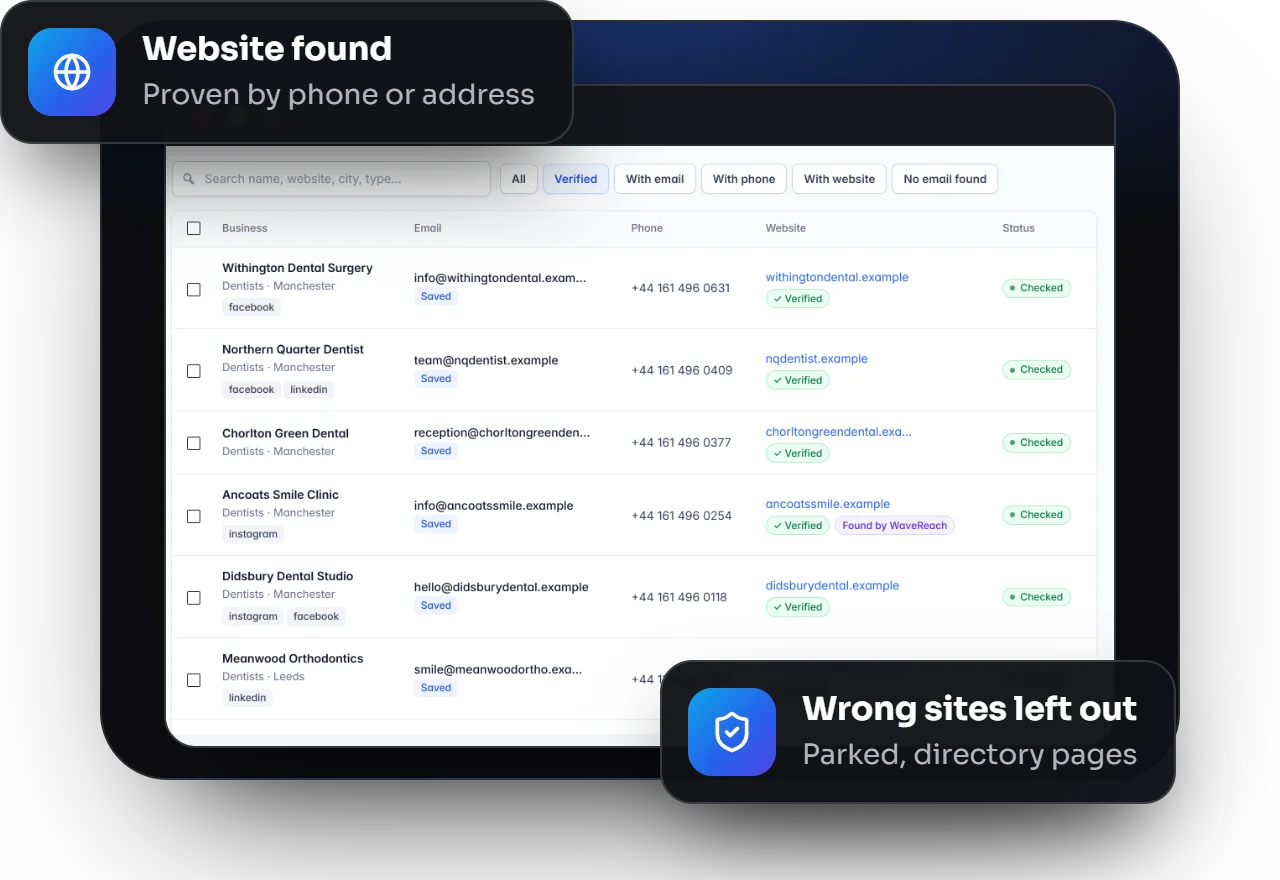
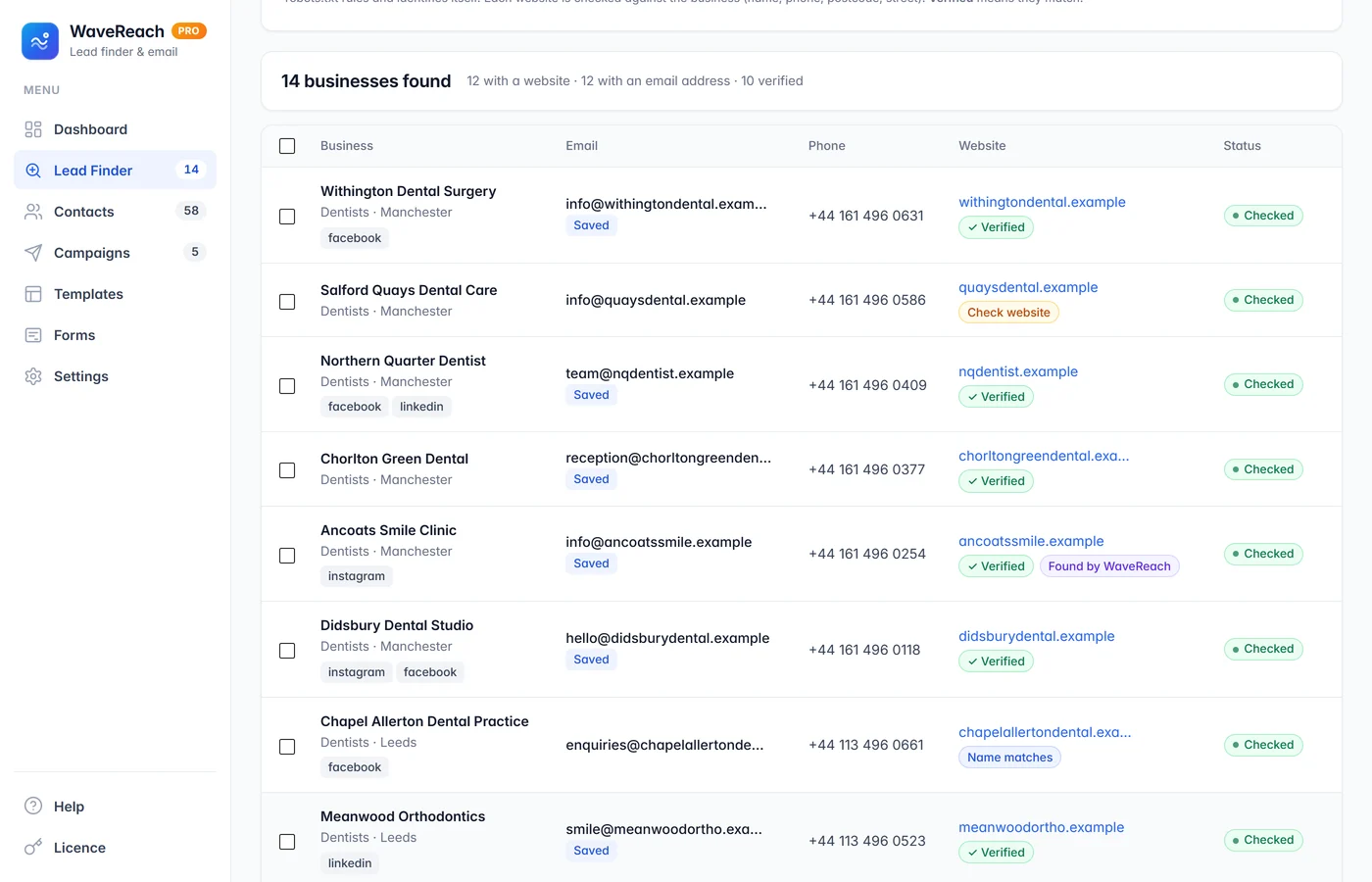
WaveReach visits each business’s own website and compares it with the business: the name, and the phone number, postcode or street. Matching sites get a Verified mark. Businesses listed without a website get one found for them — kept only when it proves to be the same business.
Verified · Name matches · Check website marks
Missing websites found and confirmed
Parked, for-sale, directory and unrelated websites left out
Businesses with no way to contact them are never listed
Email campaigns
Emails thatlook the part.
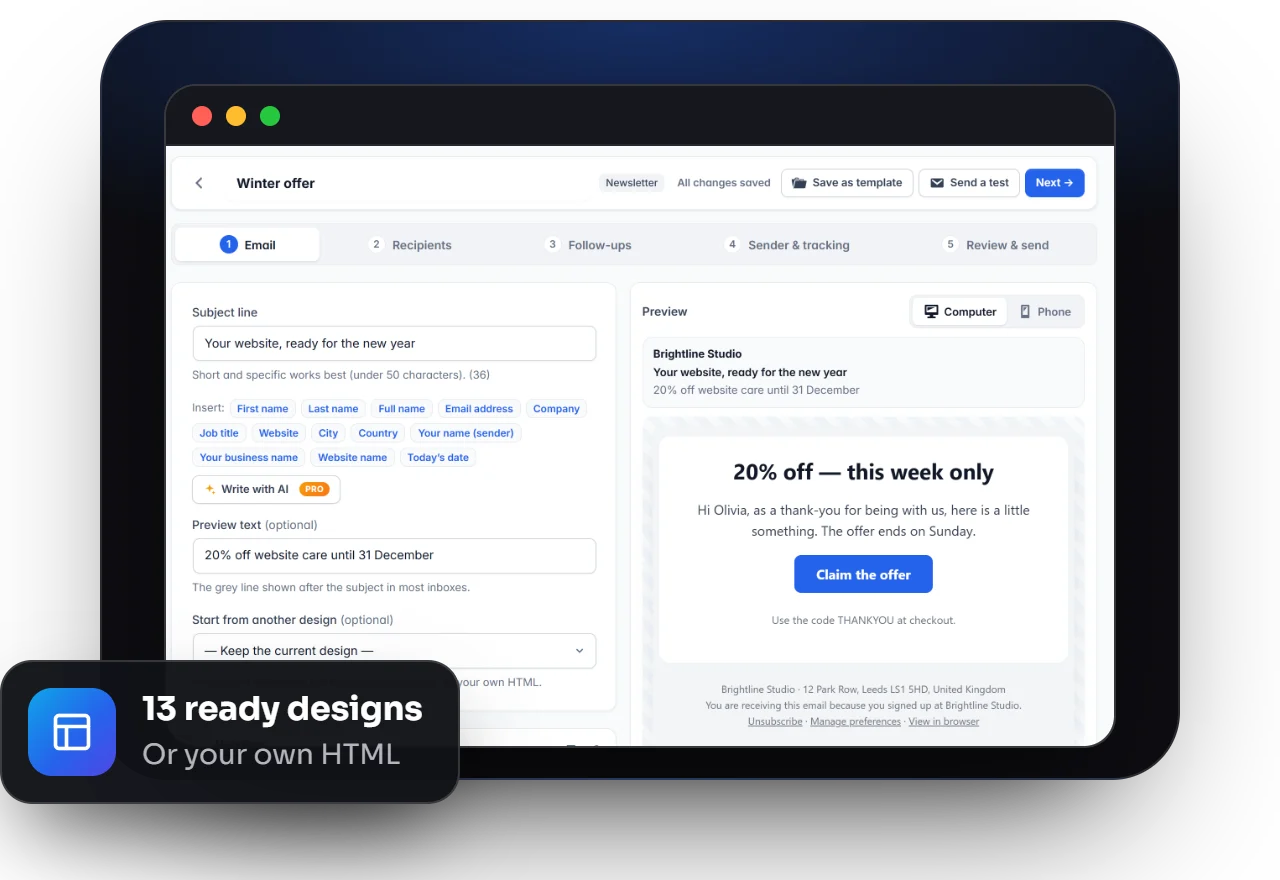
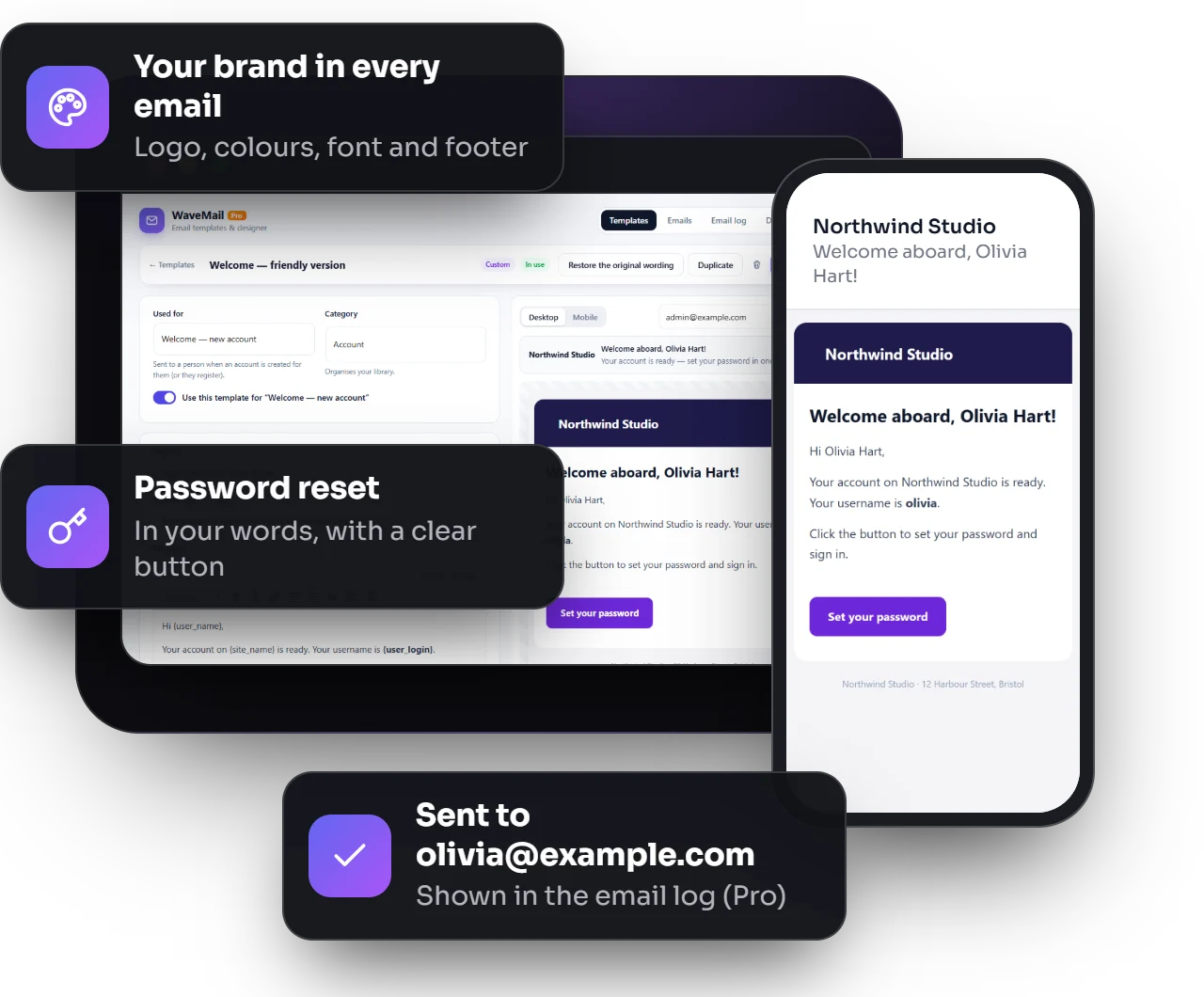
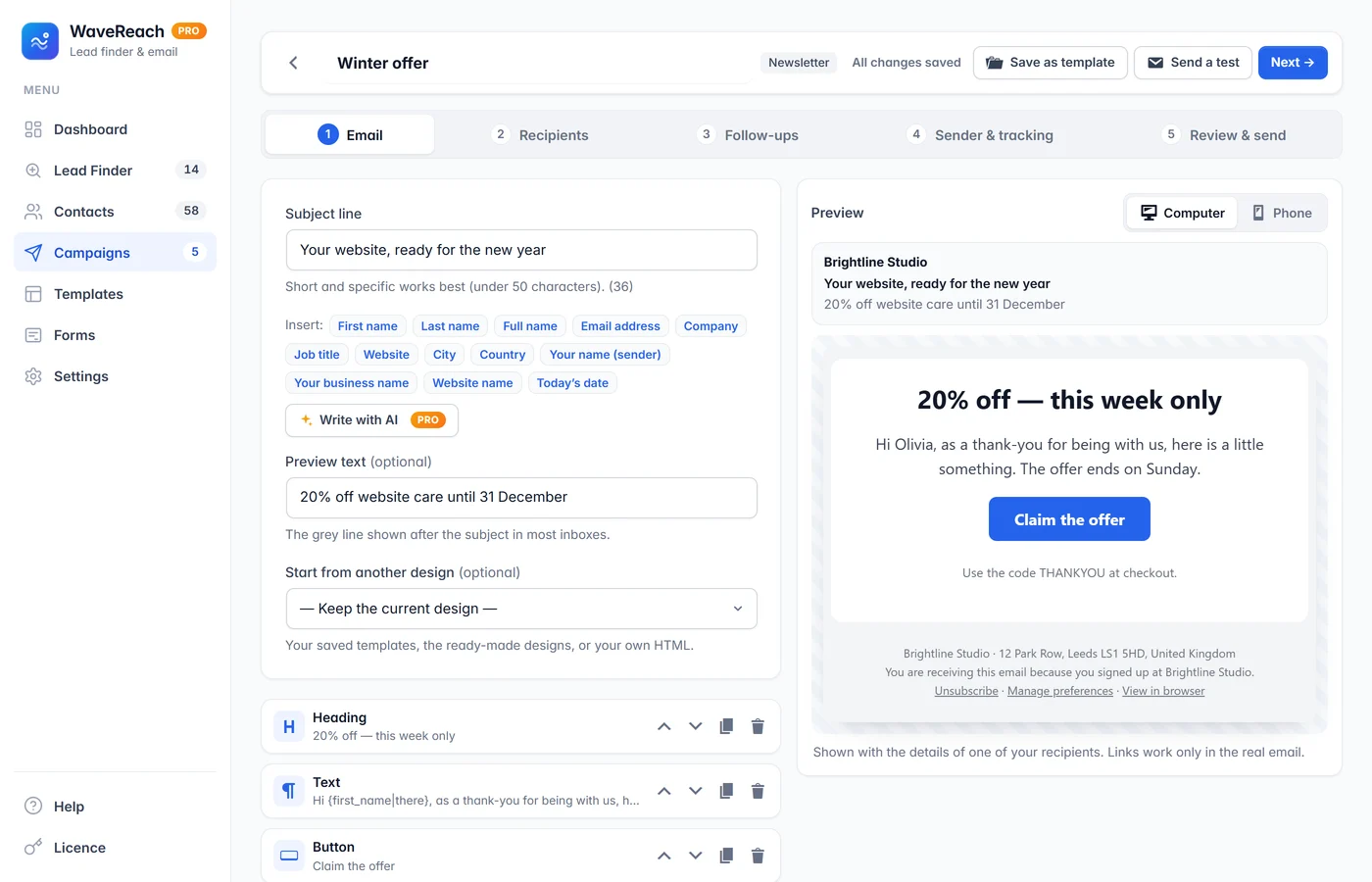
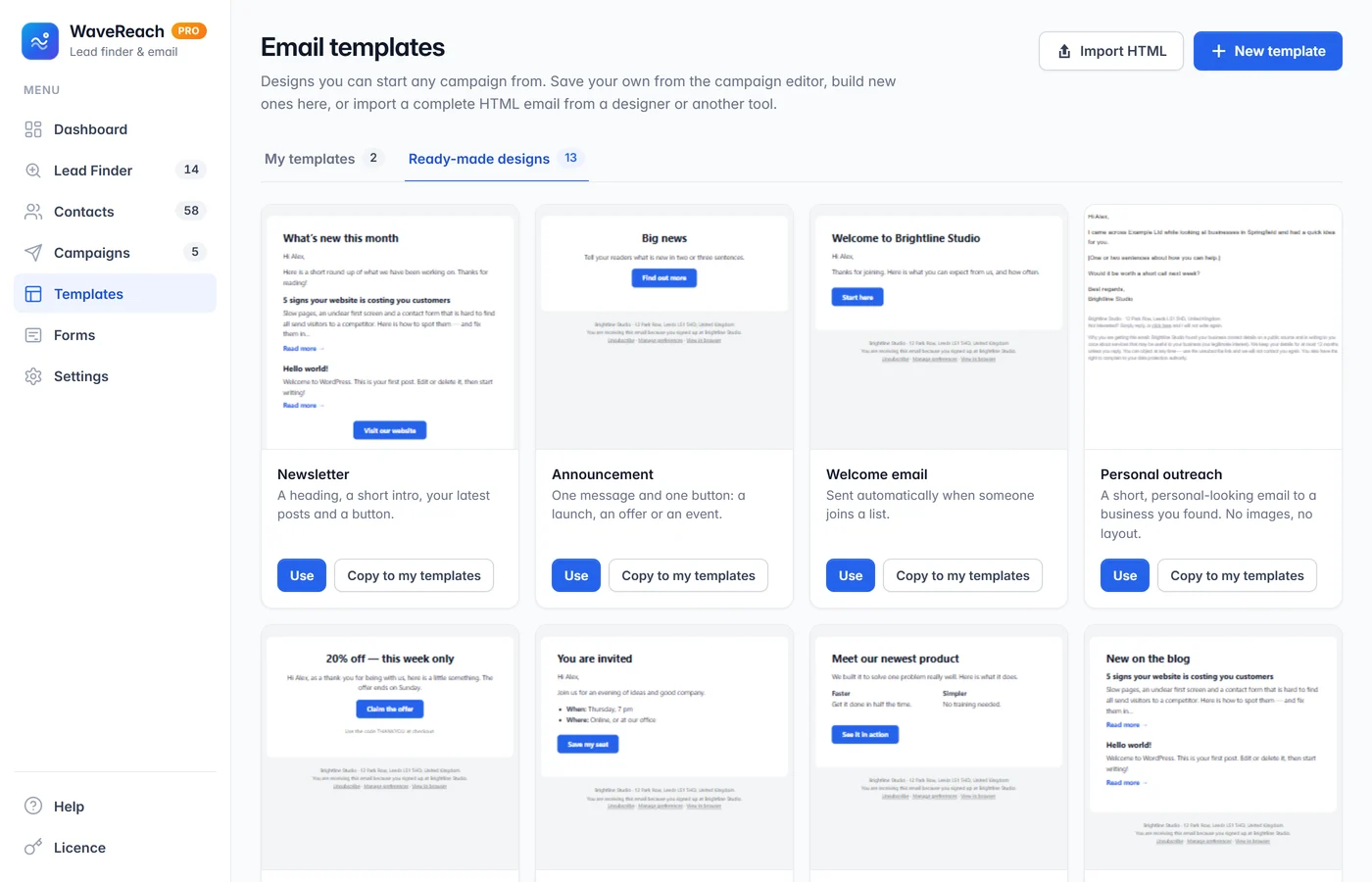
Write newsletters with the drag-and-drop editor and its live preview, start from 13 ready-made designs, or paste your own HTML email. Personal outreach emails stay short and plain, the way a real message looks — with the business name filled in for you.
13 ready-made designs and your own templates
Your own HTML emails, with an unsubscribe link added if missing
Merge tags like {first_name} and {company}
Scheduling, A/B subject tests and test emails
Follow-ups & results
Follow upwithout remembering to.
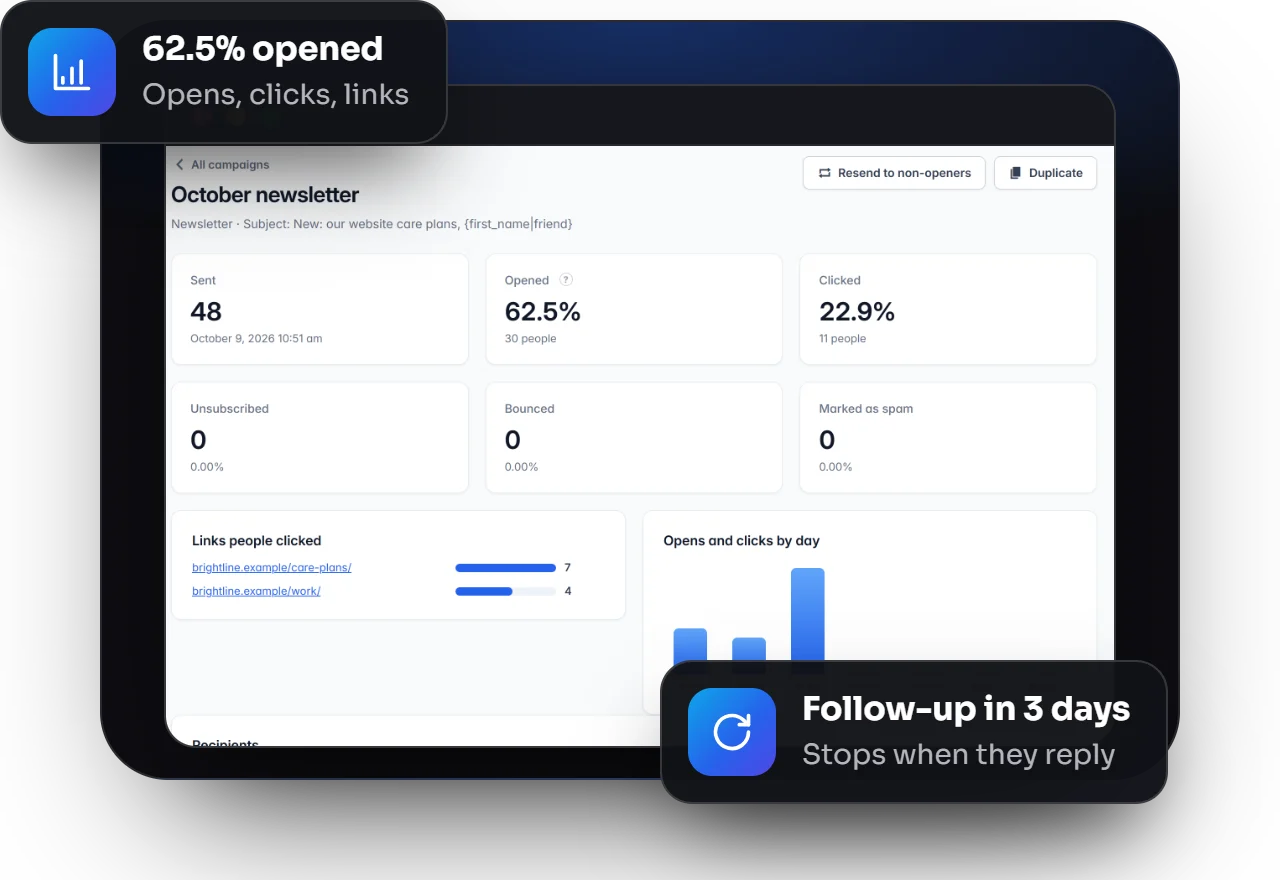
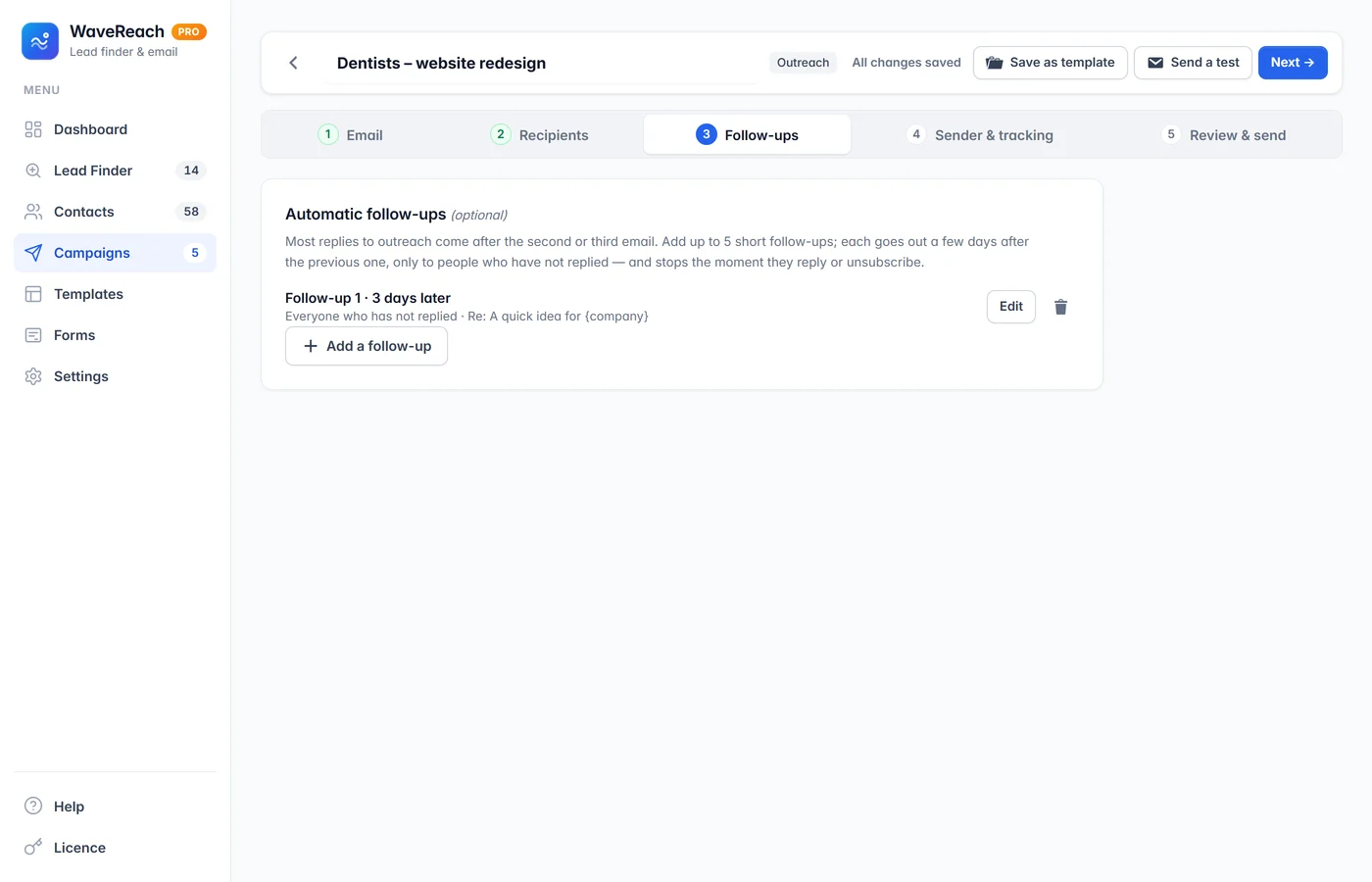
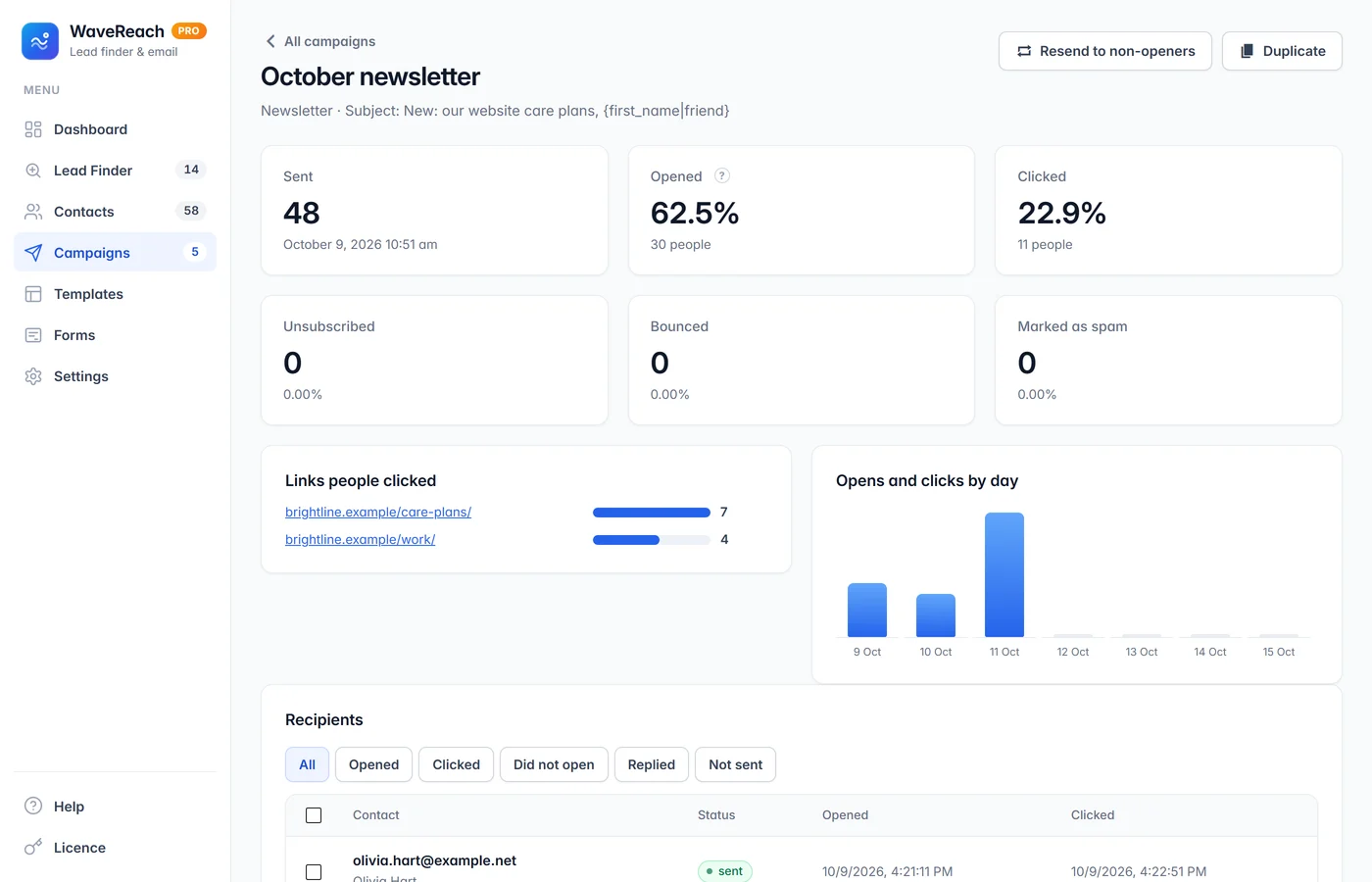
Add up to five follow-ups to an outreach email. Each goes out a few days later, in the same email thread, only to people who have not replied — and stops the moment they do. Reports show who opened, who clicked and which links worked.
Automatic follow-ups that stop on a reply
Opens, clicks, links and every recipient
Resend to people who did not open
Pro: replies and bounces detected in your inbox automatically
Signup forms
Grow your ownlist too.
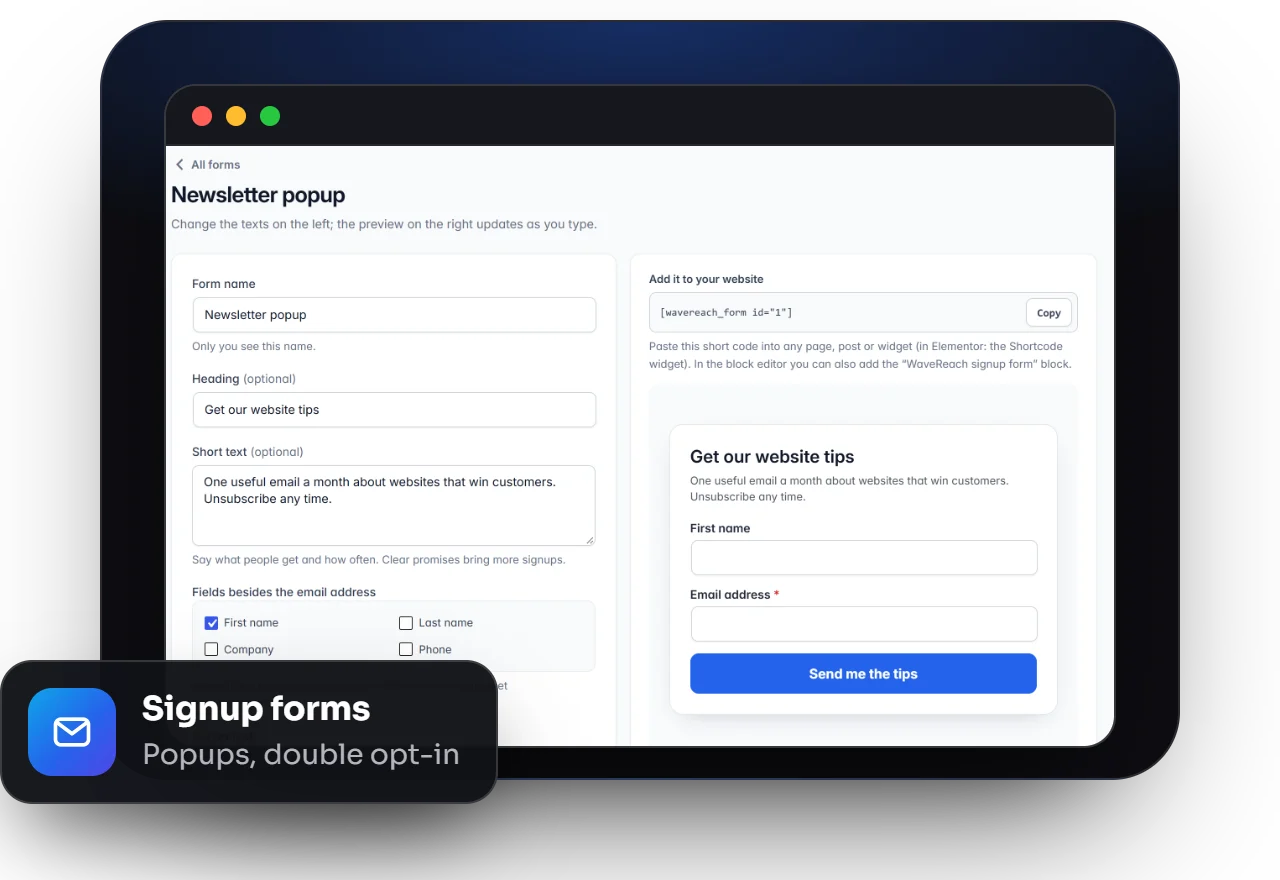
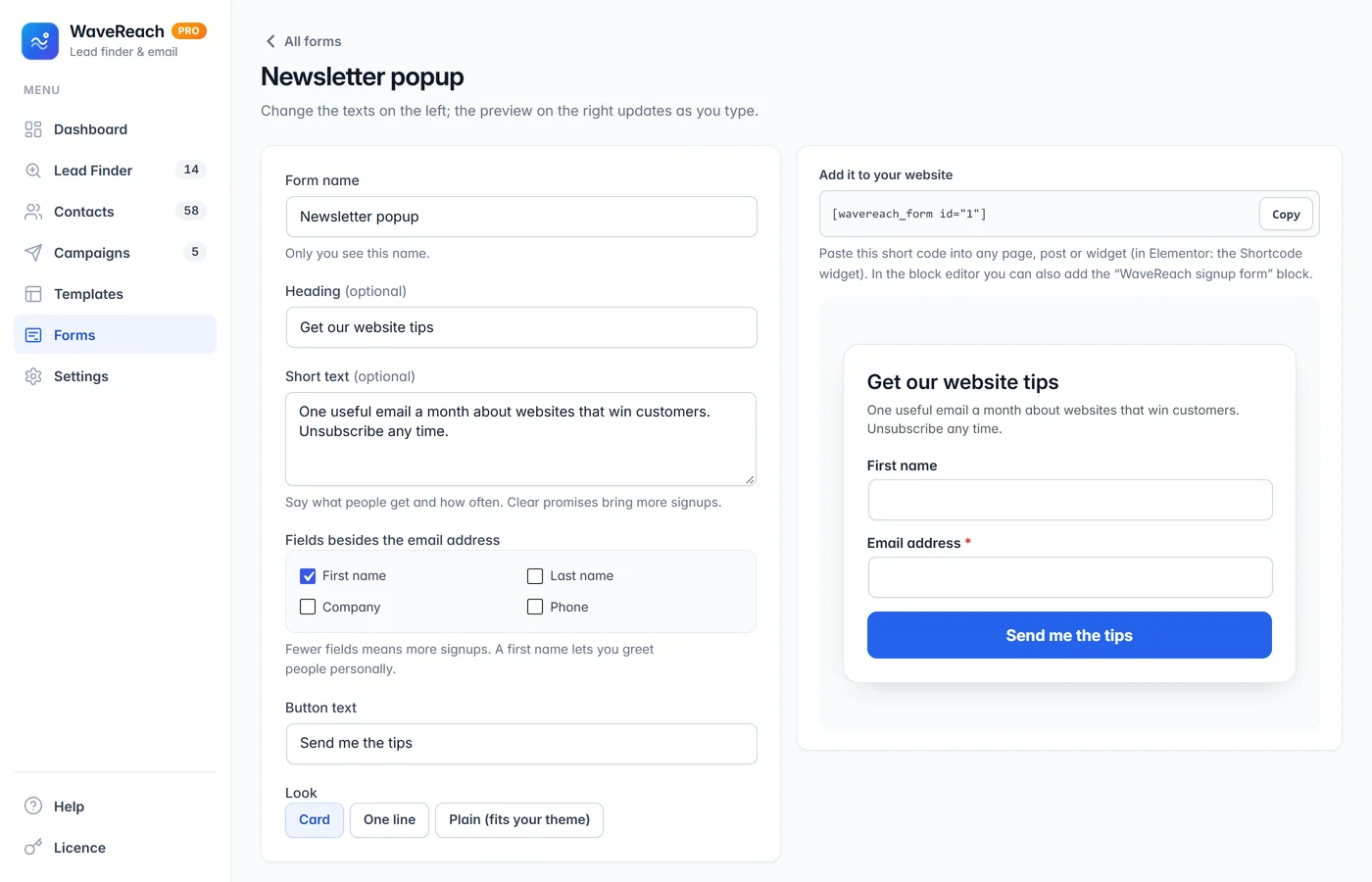
Add a signup form anywhere with a short code or block, or show it as a popup, slide-in or top bar. Double opt-in, a welcome email and signup checkboxes on your registration, comment and WooCommerce checkout forms are all included.
Inline, popup, slide-in and top-bar forms
Double opt-in and spam protection
Welcome emails and new-post emails
Signup checkboxes on existing forms
How the Lead Finder works
From a search to a verified list
No spreadsheets, no copying and pasting, no lead database subscription. Everything runs on your own WordPress website.
01
Tell it what you need
Pick a business type or type a keyword, list the places — one per line — and choose the distance and the number of results per place.
02
It finds the businesses
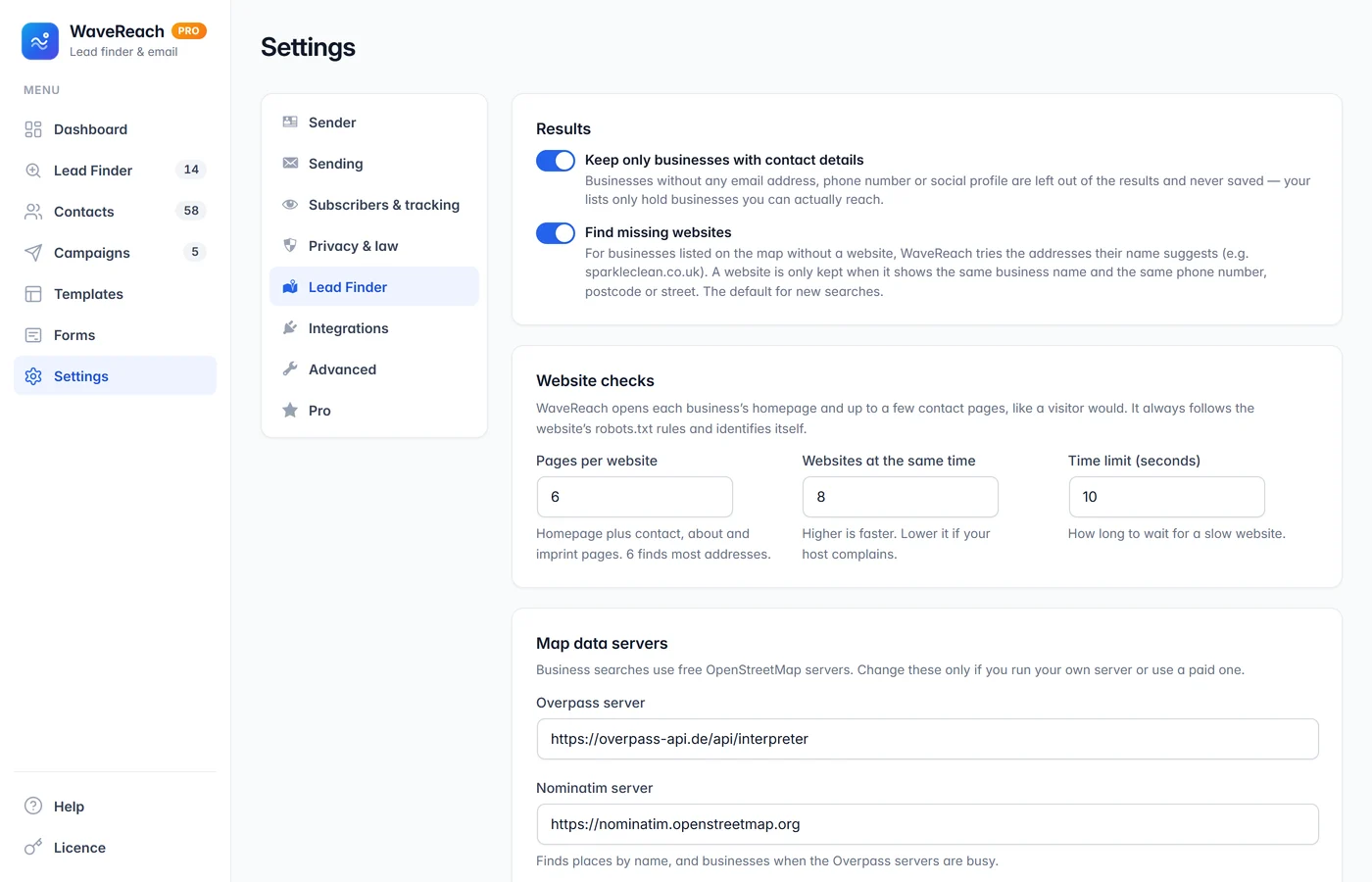
WaveReach searches free OpenStreetMap data for every place, by type and by name. If the map servers are busy, two other free services take over.
03
It visits their websites
Each business’s homepage and contact pages are read like a visitor would, following the website’s robots.txt rules. Emails, phone numbers and social profiles are collected.
04
It checks every result
Each website is compared with the business. Wrong, parked and directory sites are set aside; missing websites are found and confirmed. You keep a clean, verified list.
Accuracy
Why the results are reliable
A long list of wrong addresses costs you your sender reputation. WaveReach is built to give you fewer, better contacts.
Every website checked
A website counts as verified only when it shows the business’s name and its phone number, postcode or street.
Missing websites found
For businesses on the map without a website, WaveReach tries the addresses their name suggests — and keeps one only with that proof.
Wrong sites left out
Parked and for-sale domains, directory and booking listings, and websites that mention neither the business nor its town are never used.
Clean email addresses
Web designers’ “website by” addresses and no-reply addresses are removed, the business’s own addresses come first, and every email domain is checked to accept mail.
Phones in one format
Phone numbers are found even when written as plain text after “Tel” or “Call us”, and shown in international format with the country code.
Only reachable businesses
A business without any email address, phone number or social profile is left out — your lists only hold businesses you can actually contact.
Product tour
Take a look inside
Use the arrows to browse the screens — click any screenshot to see it full size. The businesses and people shown are fictional demo data.
Free finds your customers. Pro finds more of them.
The free WaveReach includes the complete Lead Finder and email marketing — with no limits on searches, contacts or emails. Pro adds Google Places and Apollo, team members with their own sending accounts, email verification, reply detection, warm-up, Mailchimp sync and more.
What you get
Free
Pro
Lead Finder
Search by business type or keyword, up to 20 places at once
Emails, phone numbers and social profiles from business websites
Website match marks, missing websites found, wrong sites left out
Check your own list of websites, CSV download
Google Places search (your own Google key)
Apollo: find decision makers by job title and reveal their email
Saved searches that repeat by themselves and send you new businesses
Contacts
Lists, tags, custom fields, segments and outreach stages
Import from CSV, Mailchimp or your WordPress users
Pro is for people who reach out every week and want more leads, cleaner lists and less manual work.
Google Places
Search Google’s business listings with your own Google key — more businesses in many areas, checked by the same accuracy rules.
Decision makers
Find people by job title — “Marketing Manager”, “Practice Owner” — with Apollo, and reveal their email when you want to write to them.
Verified before sending
Check addresses with ZeroBounce, NeverBounce, Hunter or MillionVerifier — automatically for every new prospect.
Replies handled for you
WaveReach reads your inbox: a reply stops the follow-ups, bounces are removed and out-of-office answers ignored.
Your team, your rules
Give each team member their own login and the email accounts they may send from. They see only their own contacts and campaigns, and a manager can approve campaigns before they go out.
Saved searches, warm-up and sync
Repeat a search every day or week and get only new businesses; new sending addresses start slowly; Mailchimp stays in step; send through Resend, Mailjet, SparkPost or Elastic Email.
Pricing
Simple licences. No subscription.
Every licence is a one-time payment and covers WaveReach Pro on one website for the time you choose — the free WaveReach is always free.
6 months
$29
one-time
To try Pro on a campaign season.
Every Pro feature: Google Places, Apollo, team accounts, verification, reply detection and more
How buying works: tap a plan to message us on WhatsApp, we send you the payment details, and your licence key arrives by email after payment. Install Pro next to the free plugin, paste the key — done.
Prices in US dollars. Google Places, Apollo, verification and AI services are optional and use your own accounts with those companies. Need Pro on several websites, or an invoice for your company? Ask us on WhatsApp.
Licences and updates
How licences work
Updates in your dashboard
New versions appear under Dashboard → Updates like any other plugin, with “View details” showing what changed.
Pro runs while your licence does
Pro’s features work while your licence is active. When it ends or is deactivated they pause — renew and they are back at once.
Nothing is ever deleted
Your contacts, campaigns, businesses and settings stay on your website, and the free WaveReach keeps working with all of them.
Renew or upgrade any time
Extend with any plan or move to Lifetime. Your key stays the same; your website notices by itself.
Move to a new website
One website at a time per licence. Deactivate it on the old site and activate it on the new one in seconds.
Secure by design
Licences are checked over HTTPS, Pro’s files are checked against the genuine release, and downloads are only handed to active licences.
How it works
Up and running in minutes
01
Install WaveReach
Upload the plugin and activate it. A short checklist on the dashboard walks you through the first steps.
02
Find and save
Run your first Lead Finder search, then save the verified businesses as prospects — or add a signup form to grow a newsletter list.
03
Write and send
Choose a design or a plain outreach email, add follow-ups, send a test, then send or schedule. Add Pro whenever you need it.
Made for
Who WaveReach is for
Agencies & freelancers
Find local businesses that need a website, marketing or design — and reach them with a personal email and follow-ups.
Service businesses
Cleaners, builders, accountants and suppliers: find the companies you serve best in every town you cover.
Website owners
Grow a newsletter list with signup forms and send good-looking newsletters — without a monthly email-marketing bill.
Peace of mind
Why you can rely on it
Runs on your website
Your contacts and campaigns are stored in your own WordPress database — not in someone else’s cloud.
Polite website checks
WaveReach follows each website’s robots.txt rules, identifies itself and reads only a few public pages. It never logs in or gets around blocks.
Privacy rules built in
One-click unsubscribe, a do-not-email list, a privacy notice for named people in Europe and the UK, and country rules for sending.
Careful sending
Outreach is spread over the day with a daily limit, and sending pauses by itself if too many emails bounce or are marked as spam.
Explained for beginners
Every setting has a short explanation, and a help page answers the common questions — no marketing background needed.
Built and used by ESOFTWAVE
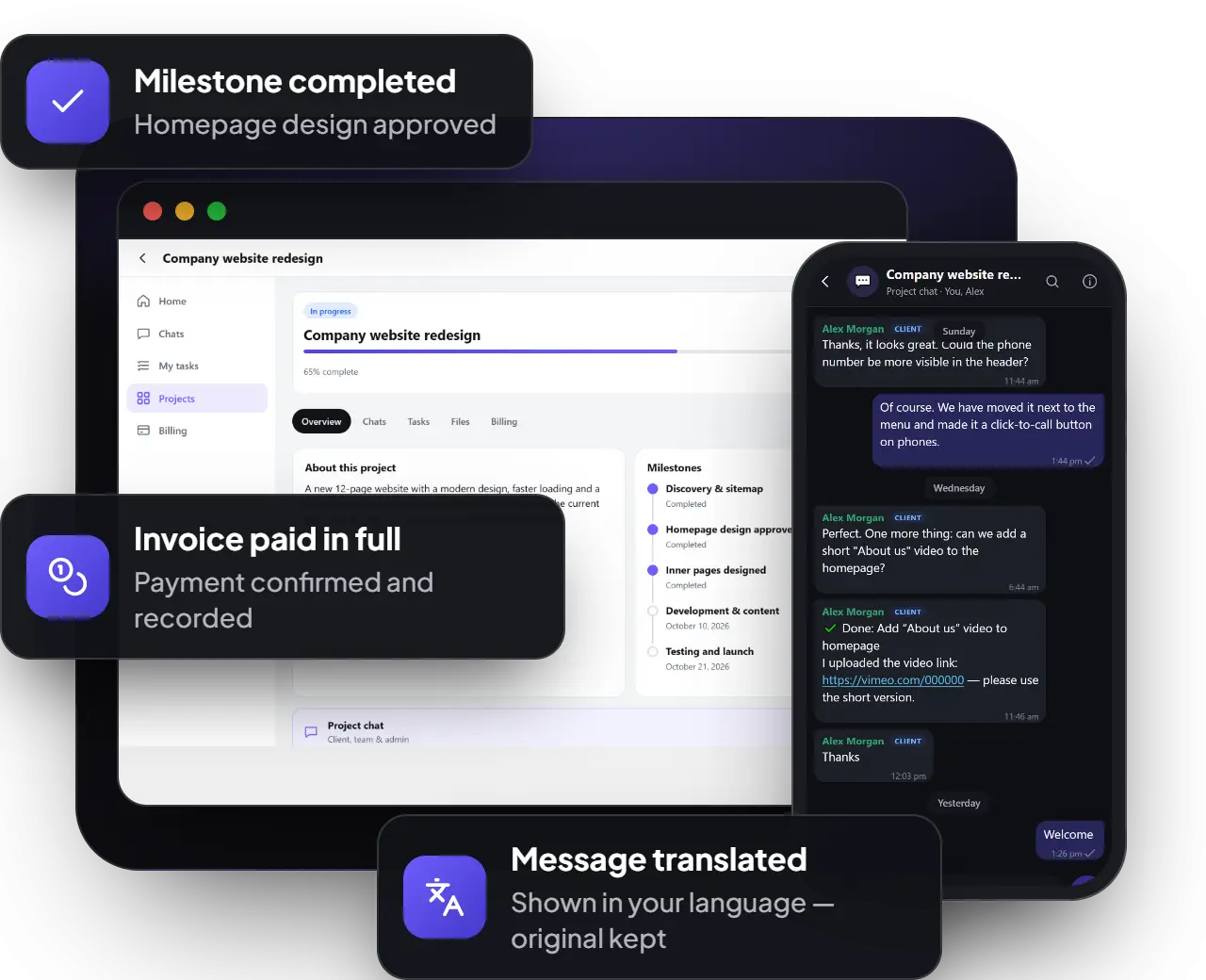
We run WaveReach on our own website, next to ESoftWave Project Manager and WaveMail, and keep improving it from real use.
Yes. The Lead Finder in the free WaveReach uses free OpenStreetMap data and reads the businesses’ own websites from your server — there is no paid service, no subscription and no limit on searches. Pro adds optional sources (Google Places, Apollo) that use your own accounts with those companies.
Where do the businesses come from?
From OpenStreetMap, the free world map made by its community — by business type and by name. When its servers are busy, WaveReach asks two other free OpenStreetMap services. With Pro you can also search Google Places with your own Google key.
How accurate are the results?
Every website is compared with the business: a Verified mark means the site shows the business’s name and its phone number, postcode or street. Parked, for-sale, directory and unrelated websites are left out, and businesses without any contact details are never listed. How many businesses you find depends on how well an area is mapped — busy cities usually have more.
Does WaveReach copy data from Google Maps?
No. Copying Google Maps is against Google’s terms. The free Lead Finder uses OpenStreetMap; Google’s business listings are available through Google’s official Places service in Pro, with your own key.
Is it legal to email the businesses I find?
Rules depend on the country. WaveReach helps you follow them: it prefers business addresses like info@, adds a working unsubscribe link and your postal address to every email, explains to named people in Europe and the UK where their address came from, and can block sending to countries that require consent. You remain responsible for following the rules where you and your recipients are.
Can my team use WaveReach?
Yes, with Pro. Add team members from your WordPress users and choose what each one may do: Manager, Marketer, Viewer, or permissions picked one by one. Give each person the email accounts they send from (their own mailbox or your sending service), each with its own daily limit. Marketers see only the contacts and campaigns they created, and you can ask a manager to approve campaigns before they go out. Administrators always keep full access.
Will my emails land in the inbox?
WaveReach spreads outreach over the day, limits how many go out daily and pauses when too many bounce. For larger lists, connect a sending service such as Amazon SES, Brevo or Mailgun — WaveReach shows how — and set up your domain’s SPF and DKIM records.
Can I use my own HTML email templates?
Yes. Paste or import a complete HTML email and use it as a campaign or template. If it has no unsubscribe link, WaveReach adds one at the bottom.
Does it send follow-ups automatically?
Yes — up to five per outreach email, in the same email thread, only to people who have not replied. Marking someone as replied stops them; with Pro, replies in your inbox are detected automatically.
What happens when my Pro licence ends?
Pro’s features pause until you renew. The free WaveReach keeps working, and nothing is deleted — your contacts, campaigns and businesses stay. Renew with the same key and Pro is back at once.
Can I renew or upgrade later?
Yes. Renew with any plan or upgrade to Lifetime at any time. Your key stays the same and your website picks up the change by itself.
Can I use one licence on several websites?
A licence covers one website at a time. You can move it whenever you want. For several websites, ask us about a multi-site licence.
How do I pay?
Choose a plan above to message us on WhatsApp. We send you the payment details, and your licence key arrives by email after payment.