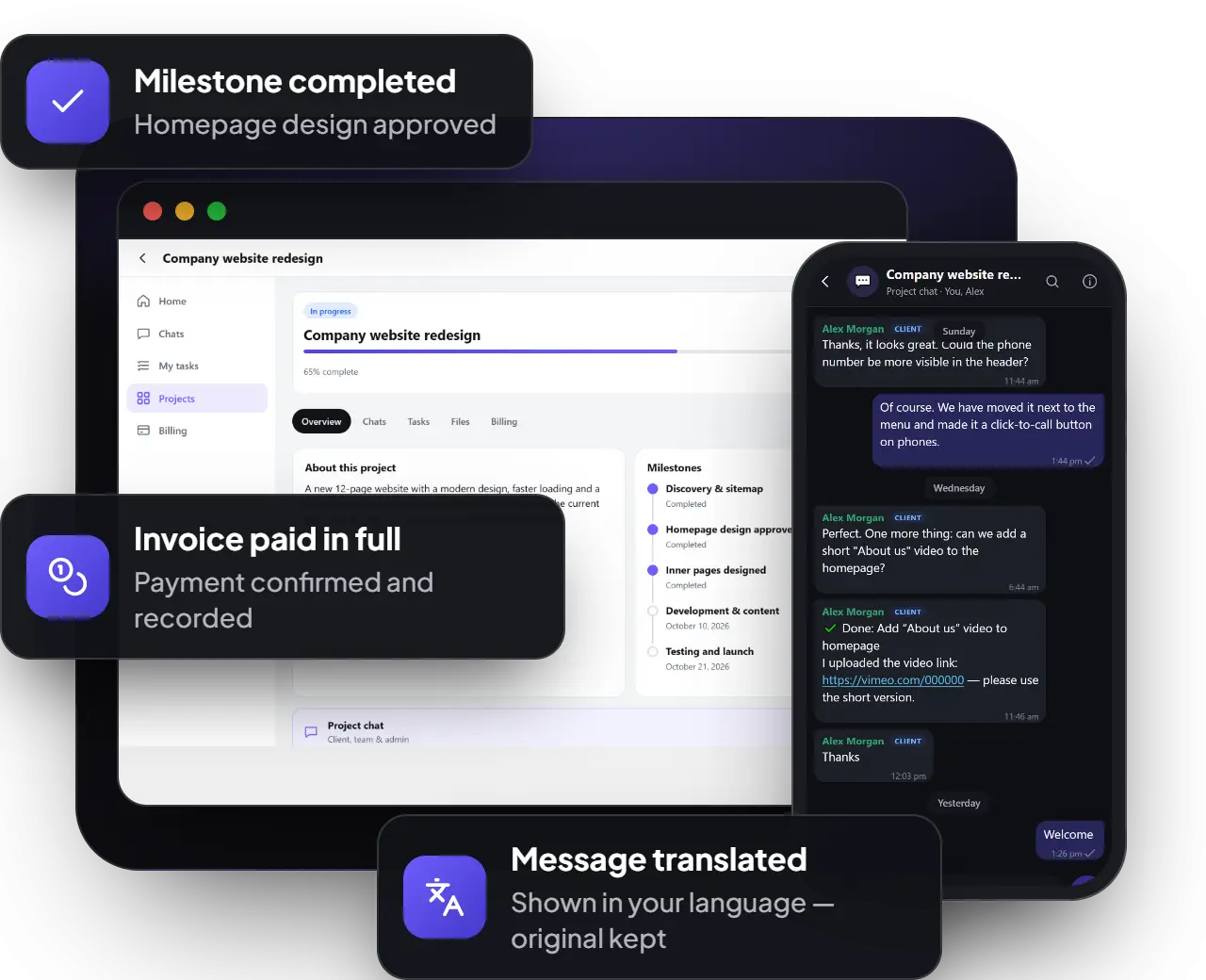
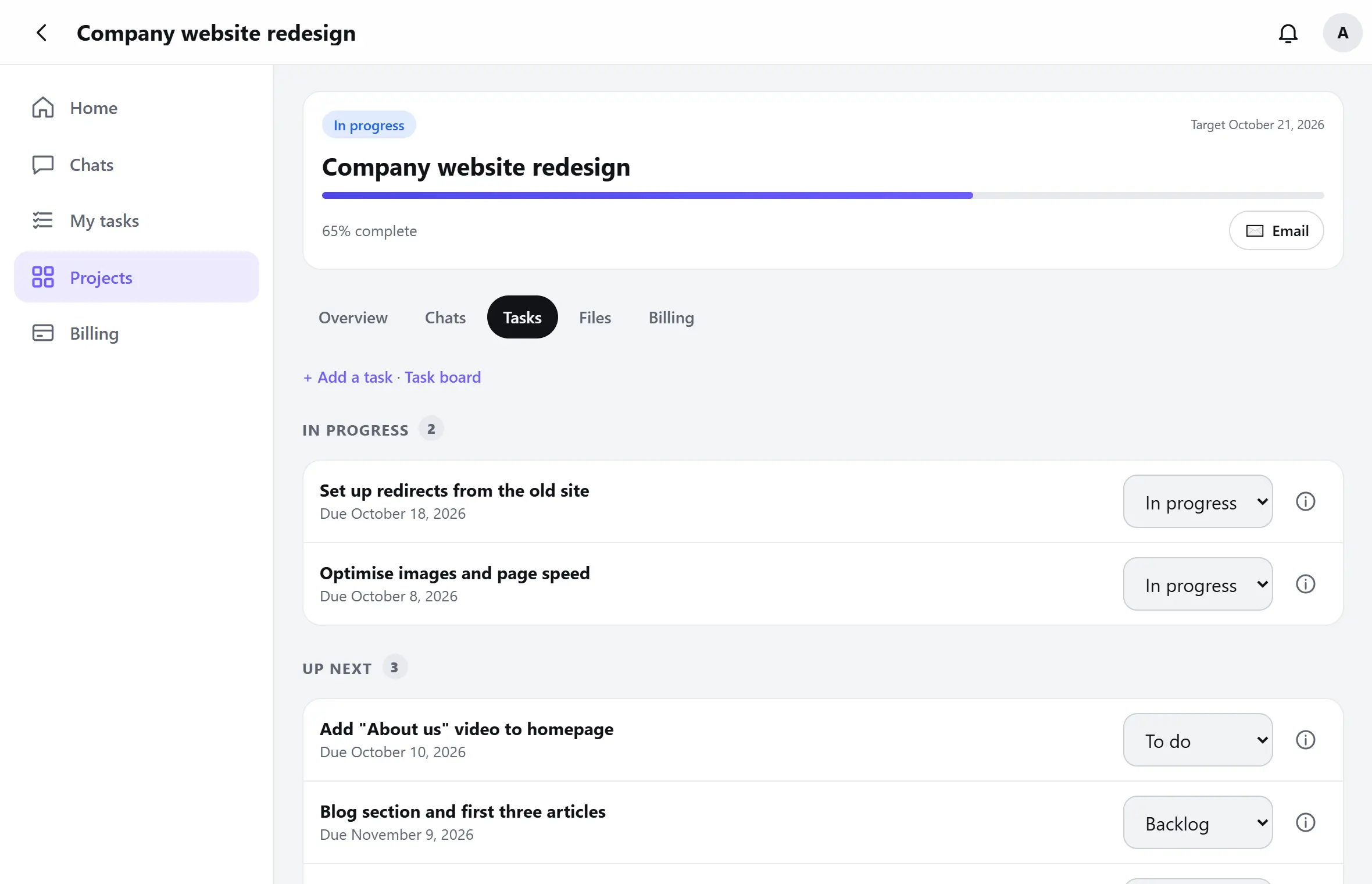
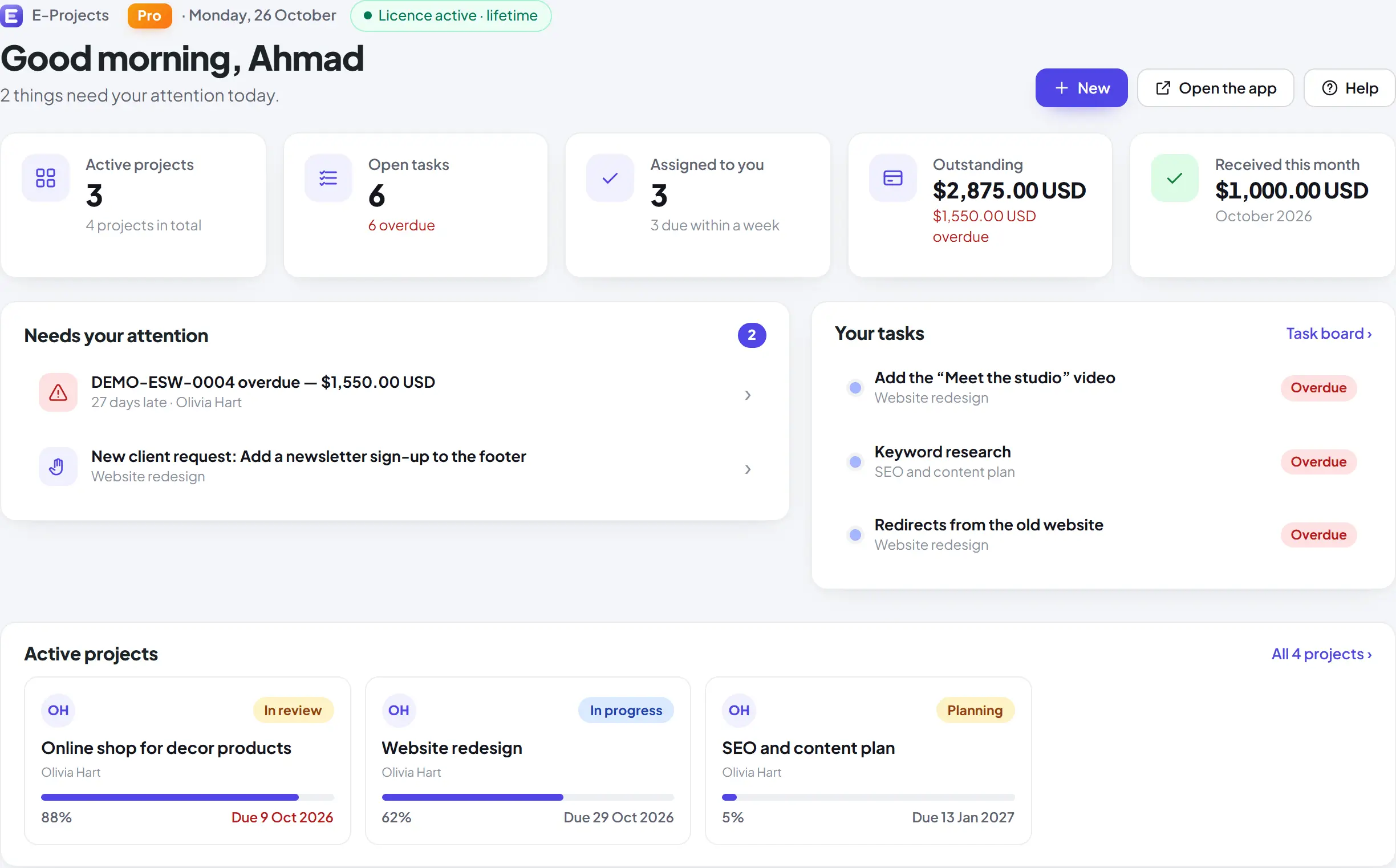
ESoftWave Project Manager turns your WordPress site into a branded client portal: projects, tasks, approvals, files, quotes and invoices in one place — plus live chat with Pro. On your own website, without per-user monthly fees.
Tasks, approvals and files clients can follow
Quotes and invoices clients accept and pay online
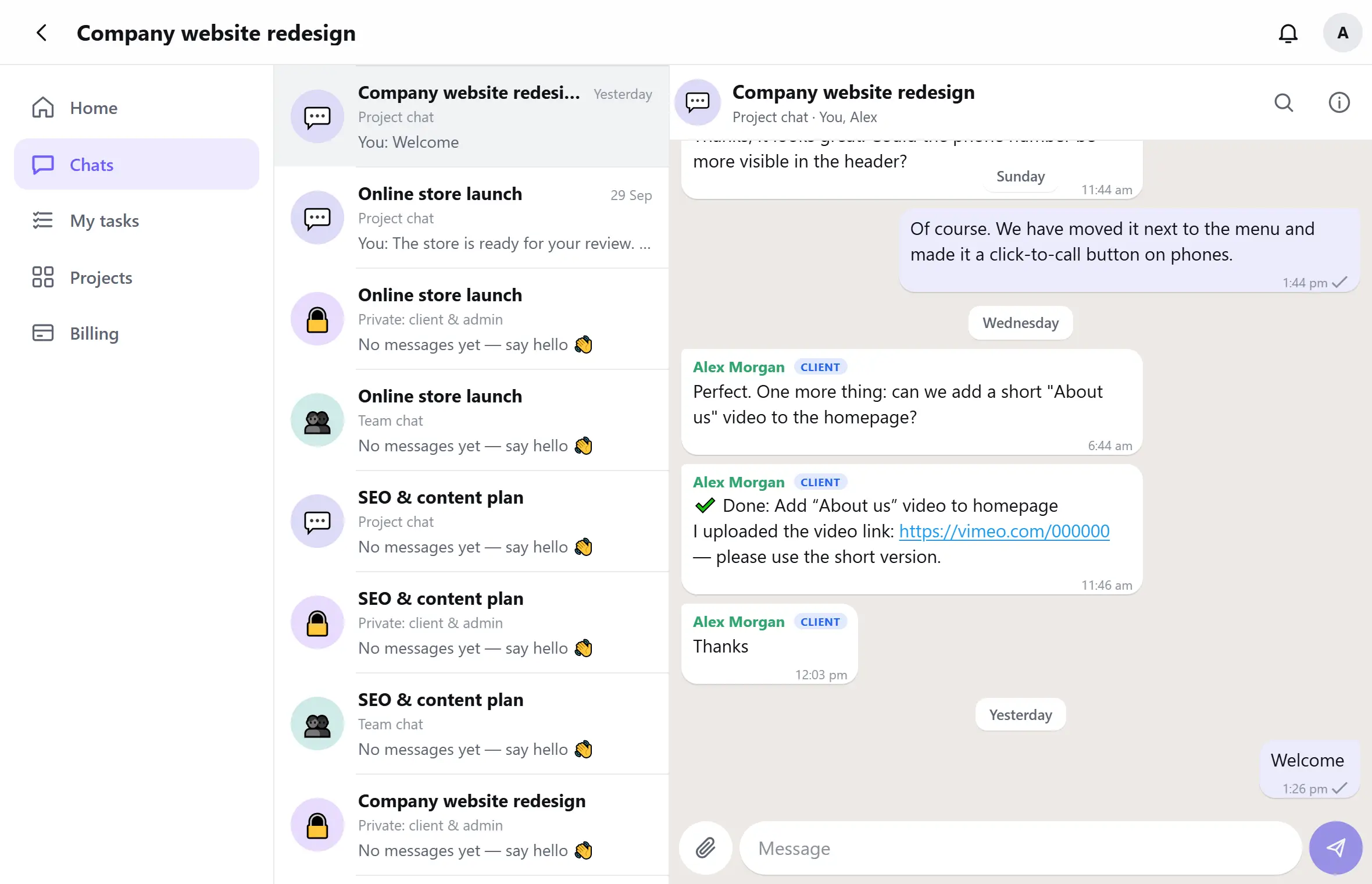
Live chat with clients and your team (Pro)
Free plugin — Pro when you want chat and automation
Version 6.1.2 · Pro 4.1.0 · WordPress 6.5 or newer · PHP 8.0 or newer
Your data stays on your website
No per-user monthly fees
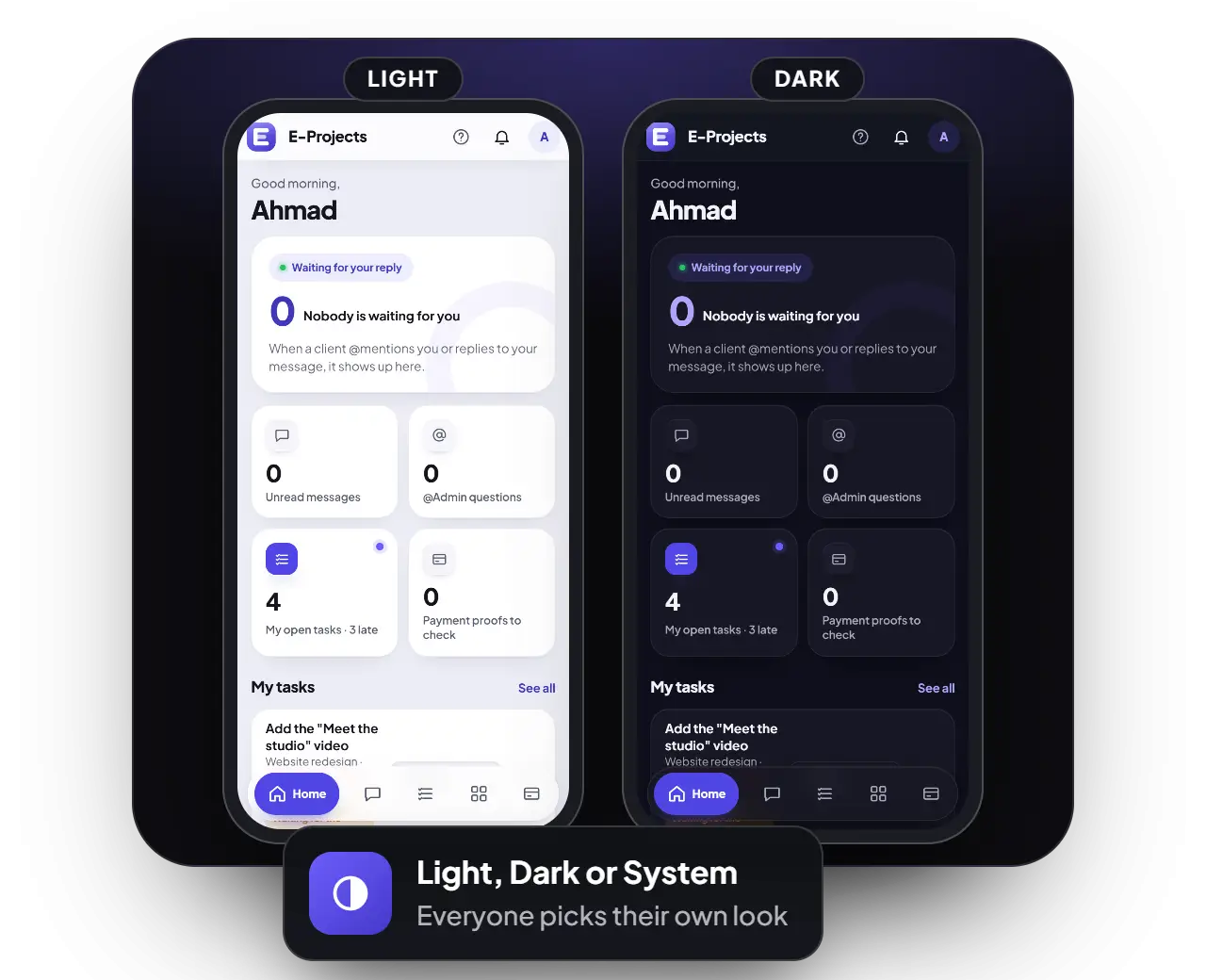
Installs on phones like an app
Works with any theme or builder
Built and used by ESoftWave
Why it matters
Life before and after ESoftWave Project Manager
Without ESoftWave Project Manager
Updates scattered across WhatsApp, email and phone calls
Files and feedback lost in long chat threads
Nobody is sure who is doing what — or what is late
Invoices live in spreadsheets; nobody knows what is still open
Managers chase everyone by hand for a status update
With ESoftWave Project Manager
A live chat per project — with the client, privately, or team-only (Pro)
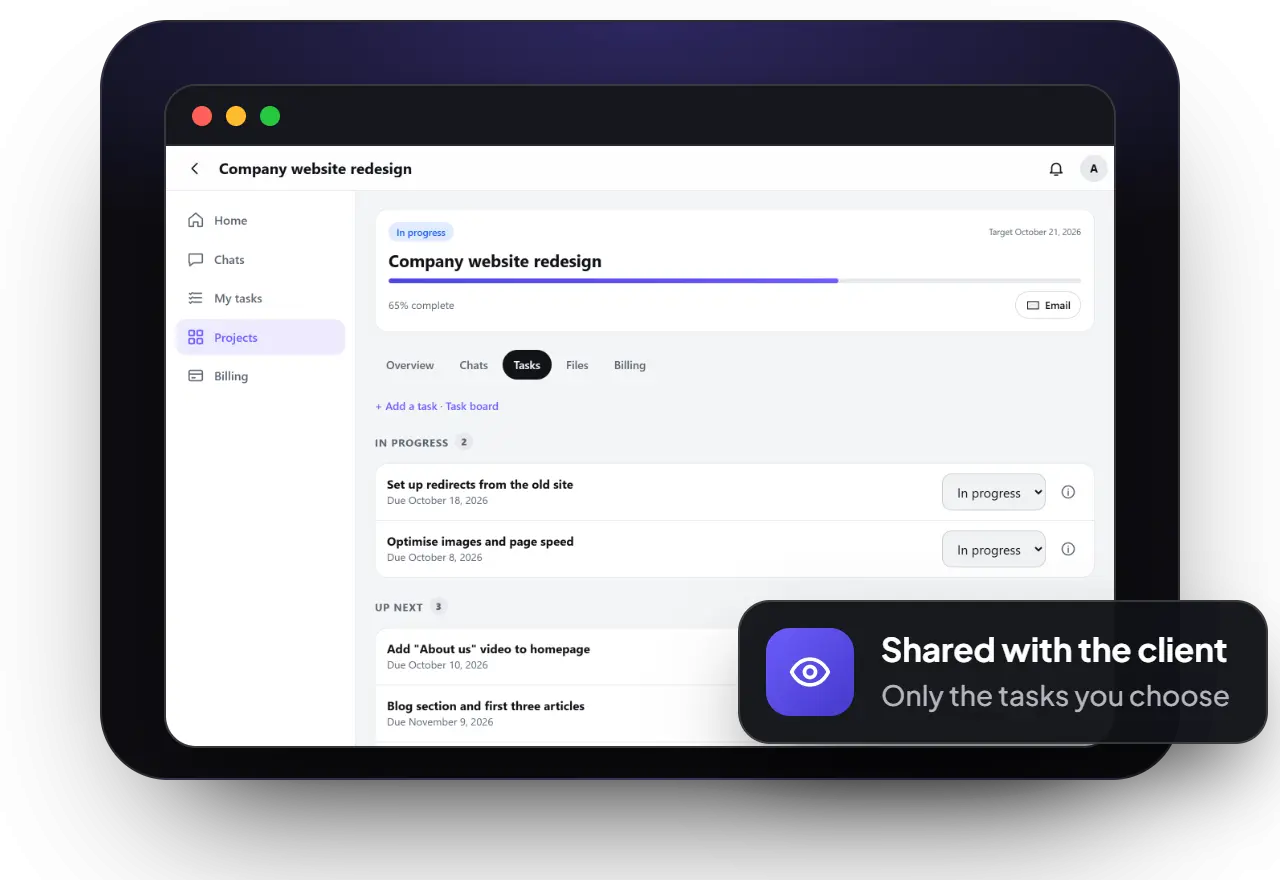
Tasks, owners and due dates everyone can see
Comments pinned right on designs and screenshots
Quotes, invoices and payments tracked in one place
Roles, teams and managers, with a full edit and delete history
Client experience
Give clients awindow into their project
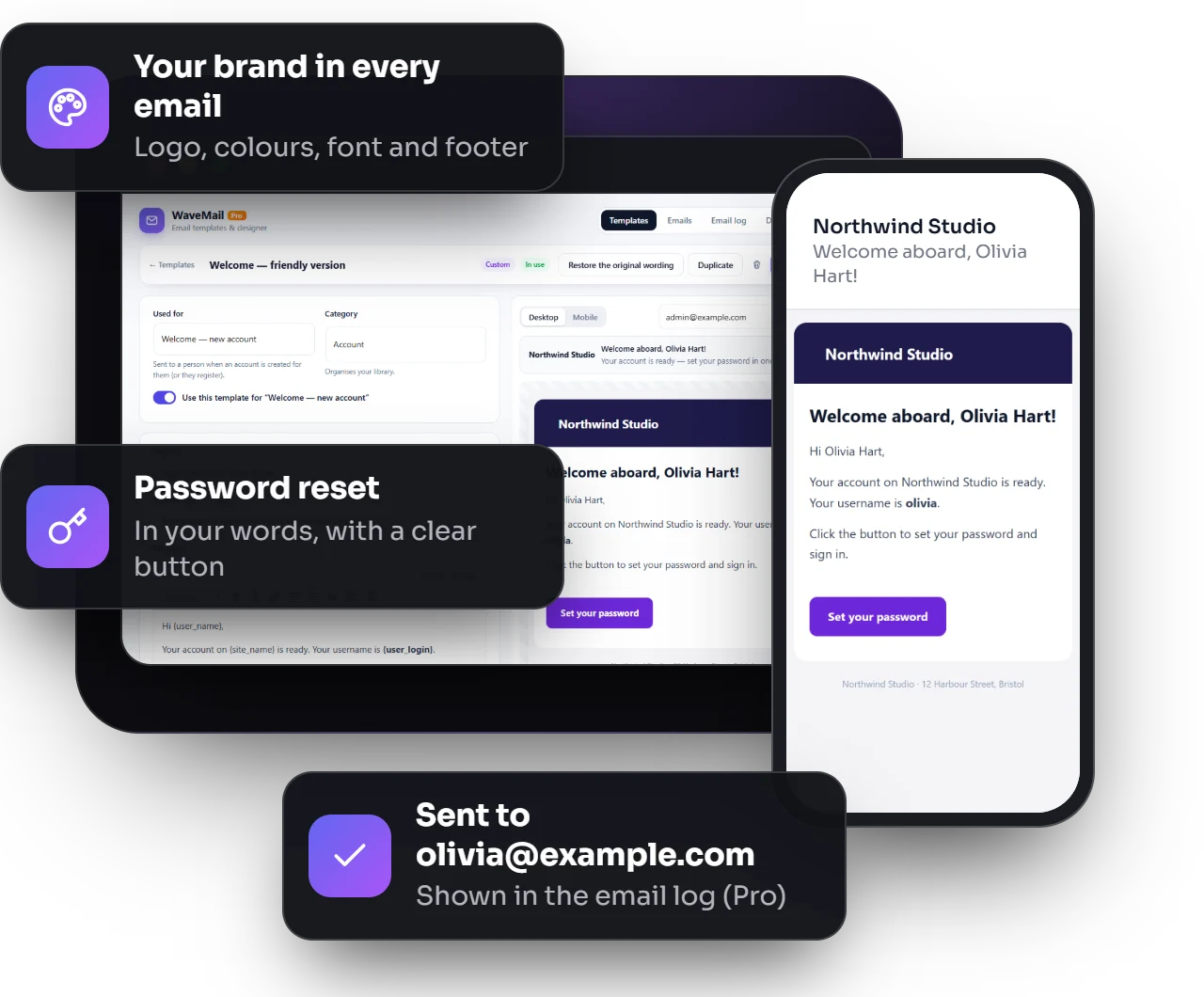
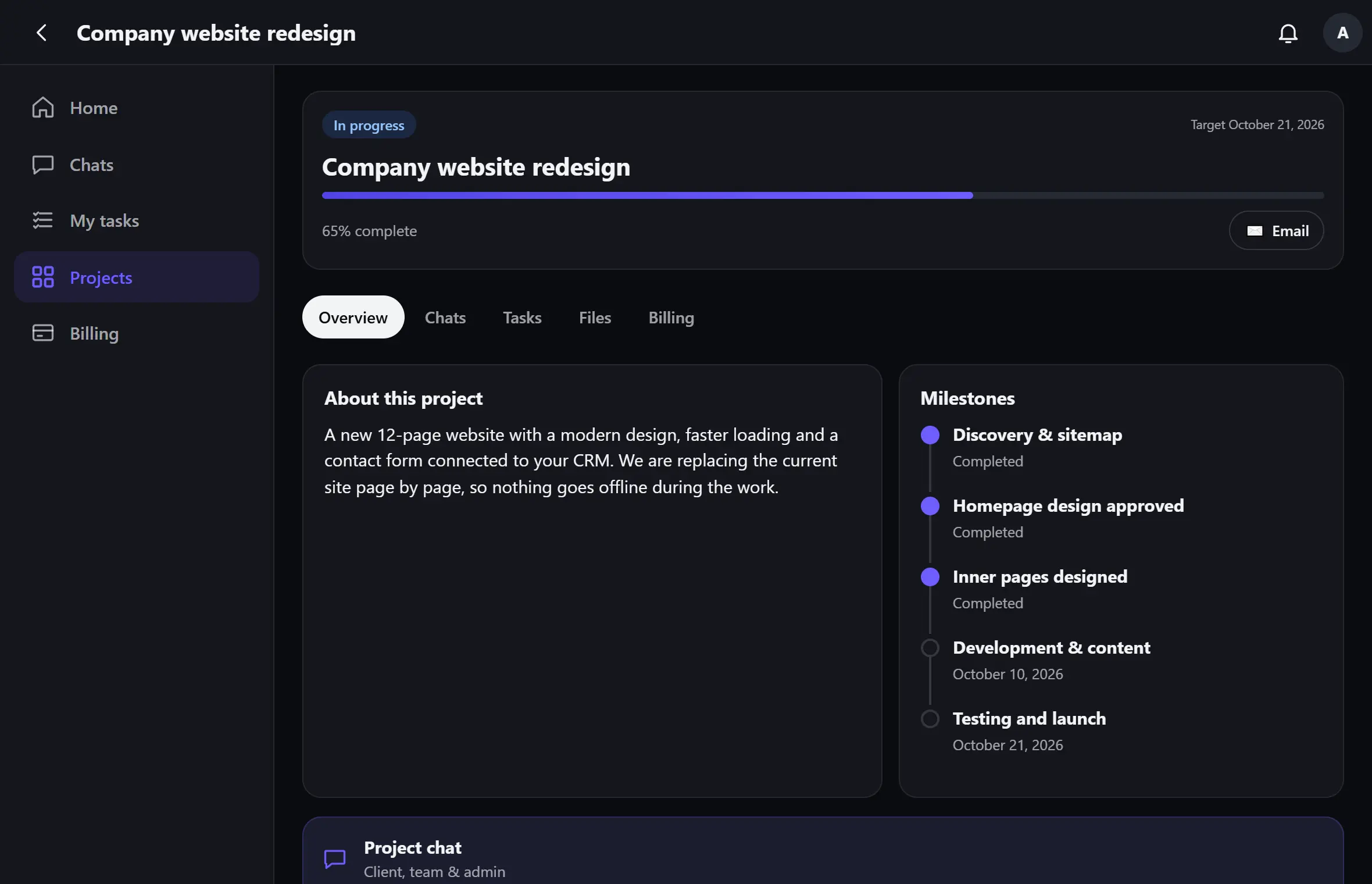
Each client signs in to a private, branded client portal and sees exactly what you choose to share: progress, milestones, open tasks, files, quotes and invoices. They stay informed without having to ask — and you stay focused on the work.
Clients only ever see their own projects
Progress, milestones and the tasks you share
Private files — never reachable by guessing a link
Your logo and colours throughout
Quotes & invoices
Quotes they accept online,invoices that add up
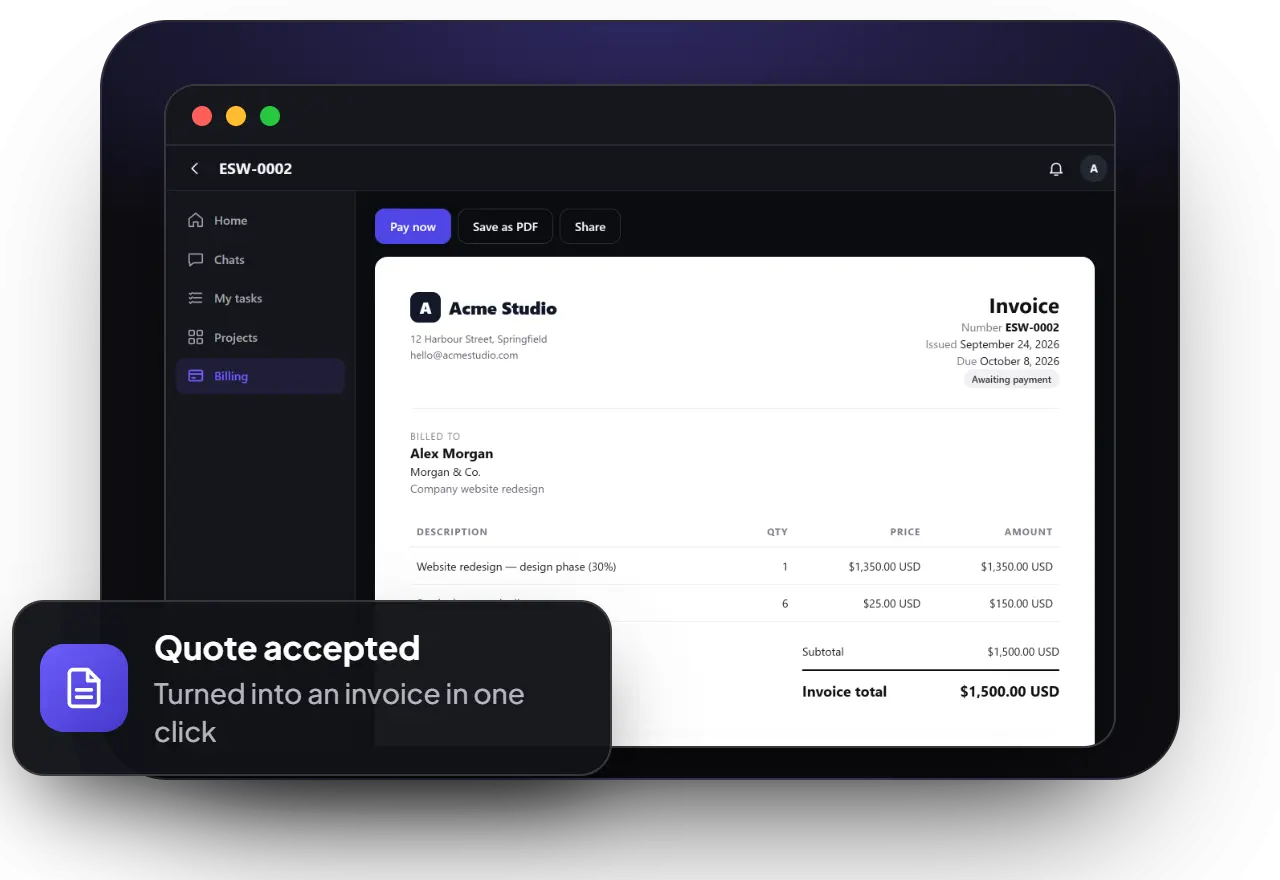
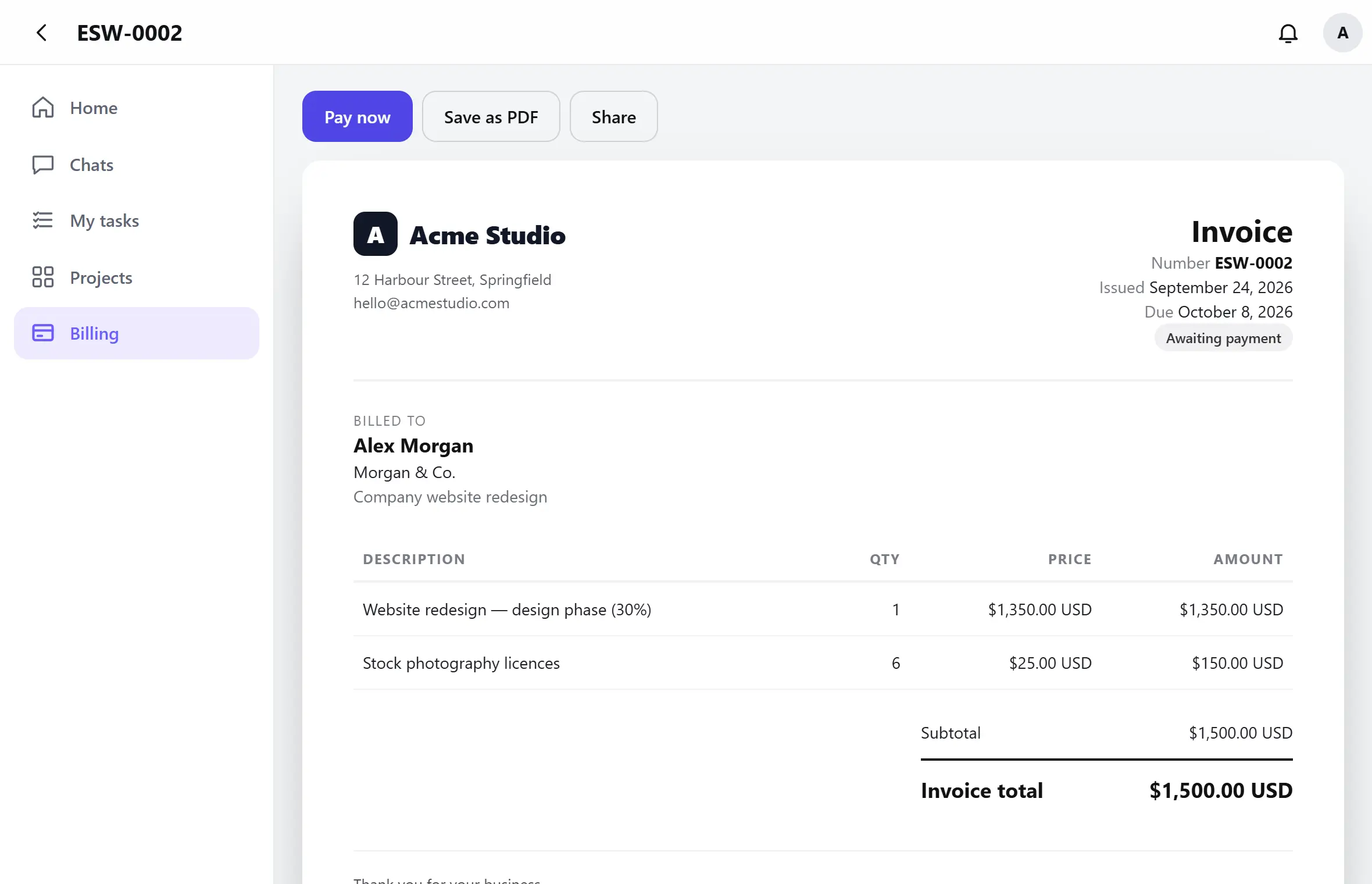
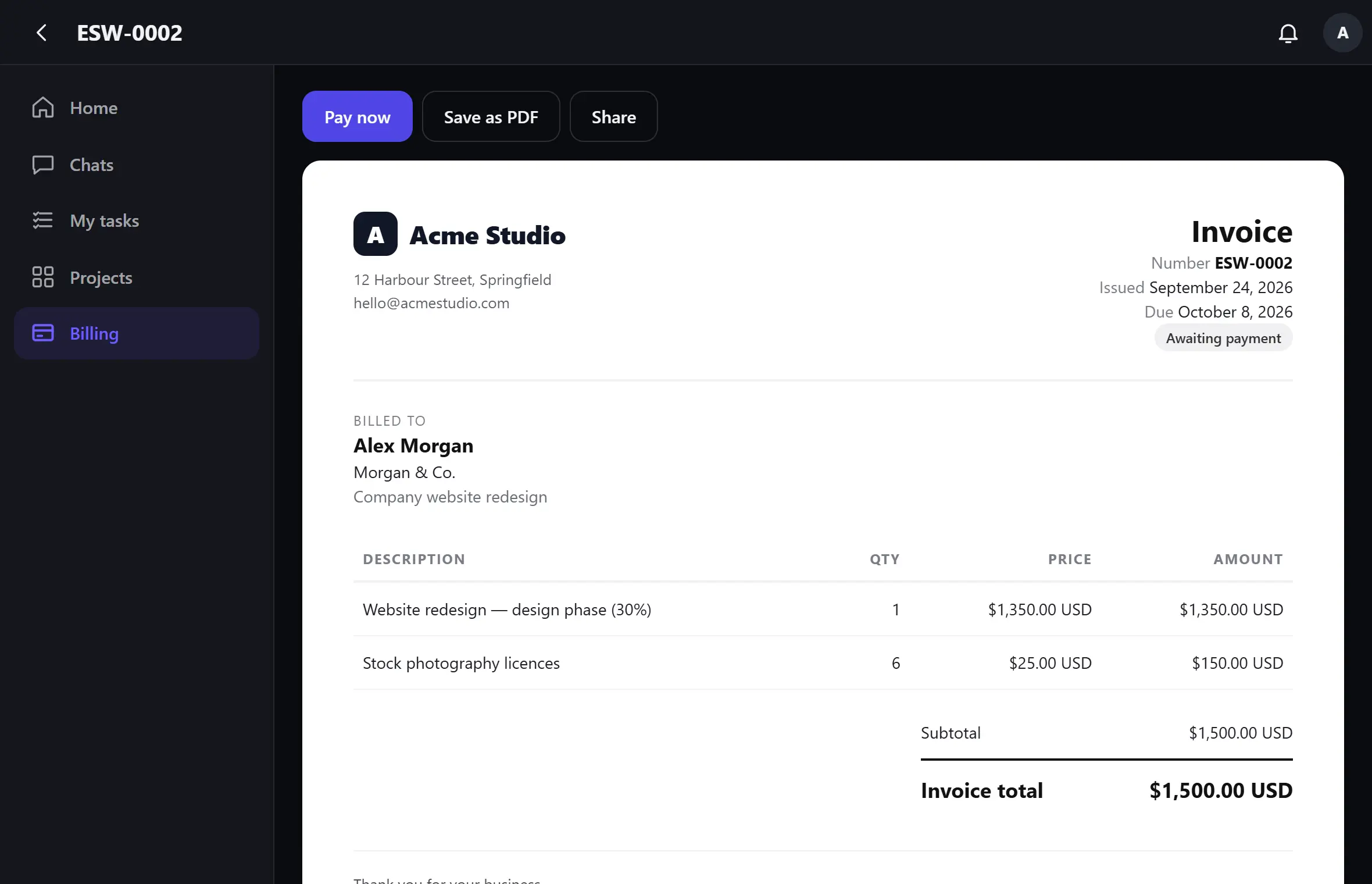
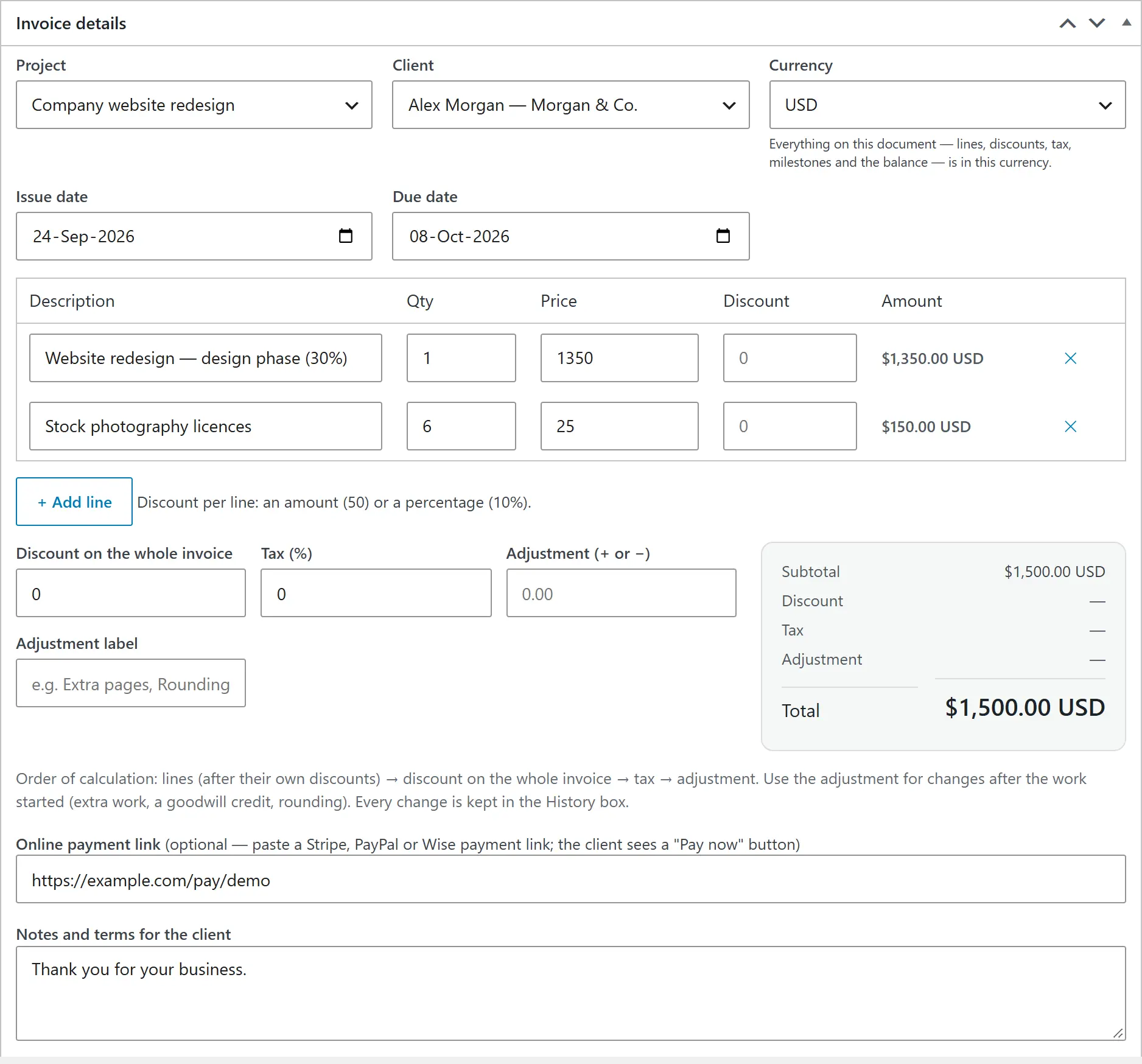
Send a quote the client accepts by typing their name, then turn it into an invoice — or a deposit invoice — in one click. Line and invoice discounts, tax, adjustments, milestone payment schedules and part payments are built in, with a history of every change.
Online acceptance, with a fingerprint of the accepted quote
Milestone schedules and part payments
Repeating invoices for retainers and hosting
Print, save as PDF or share on WhatsApp
International clients
Get paid inany currency— and know what really arrived
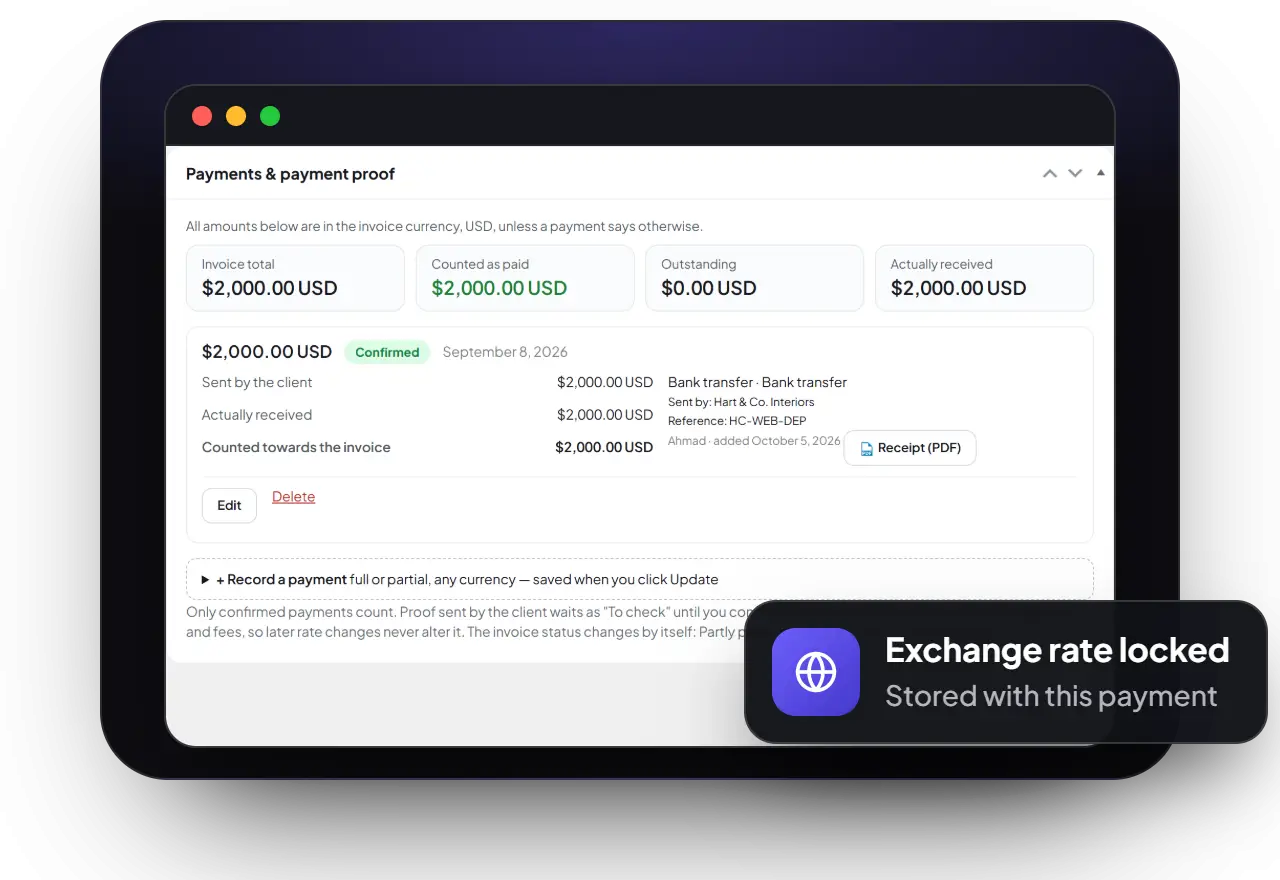
Give every client their own currency. When money arrives in another currency, record what was sent, the exchange rate and the bank fees — the rate stays locked with that payment, so your figures never change behind your back. Clients can upload proof of payment straight from the invoice.
A currency per client, always shown with its code
Rate, fees and net amount stored with each payment
Payment proof from the client, for your team to confirm
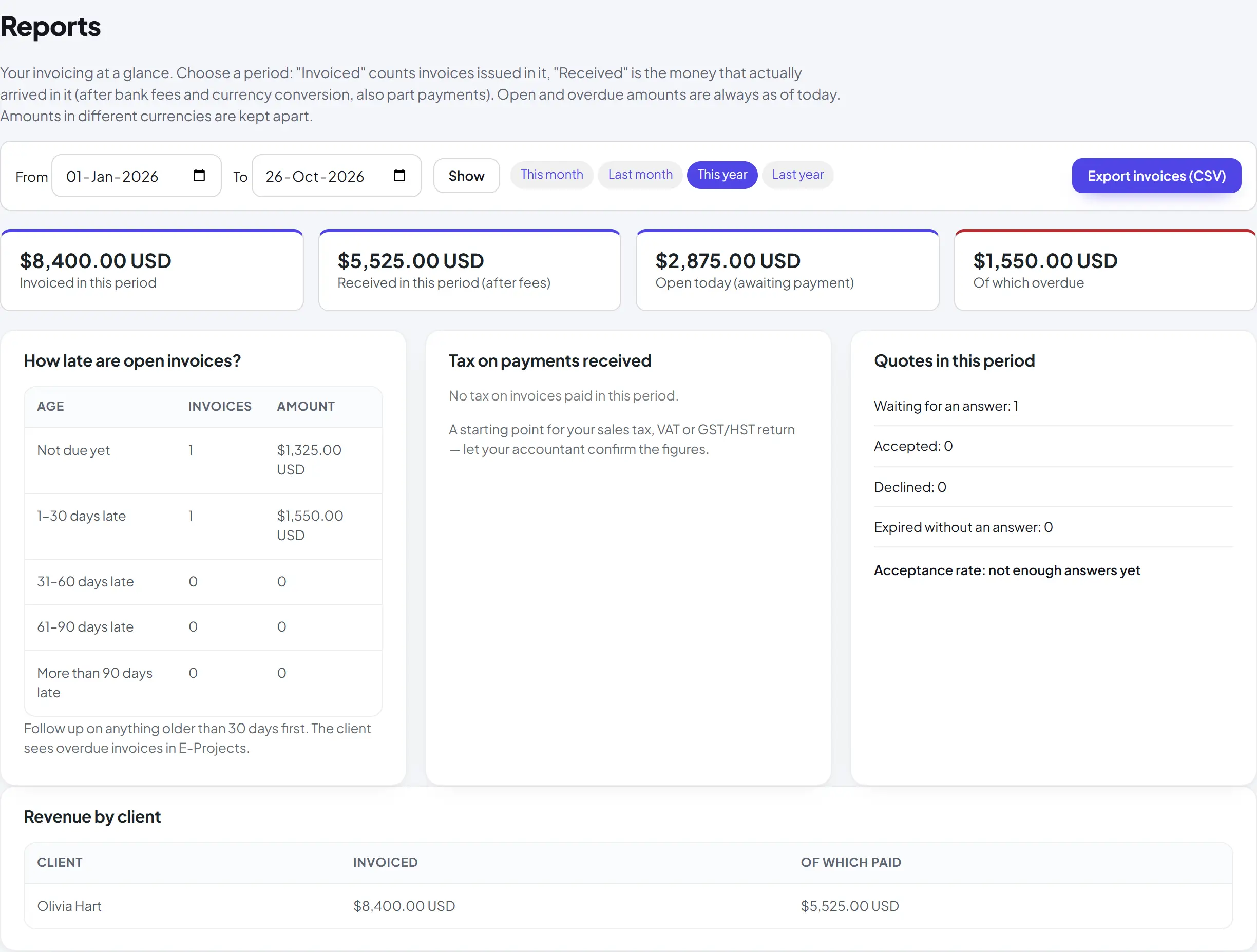
Reports per currency, with CSV export
AI assistant · Pro
Talk to every clientin their own language
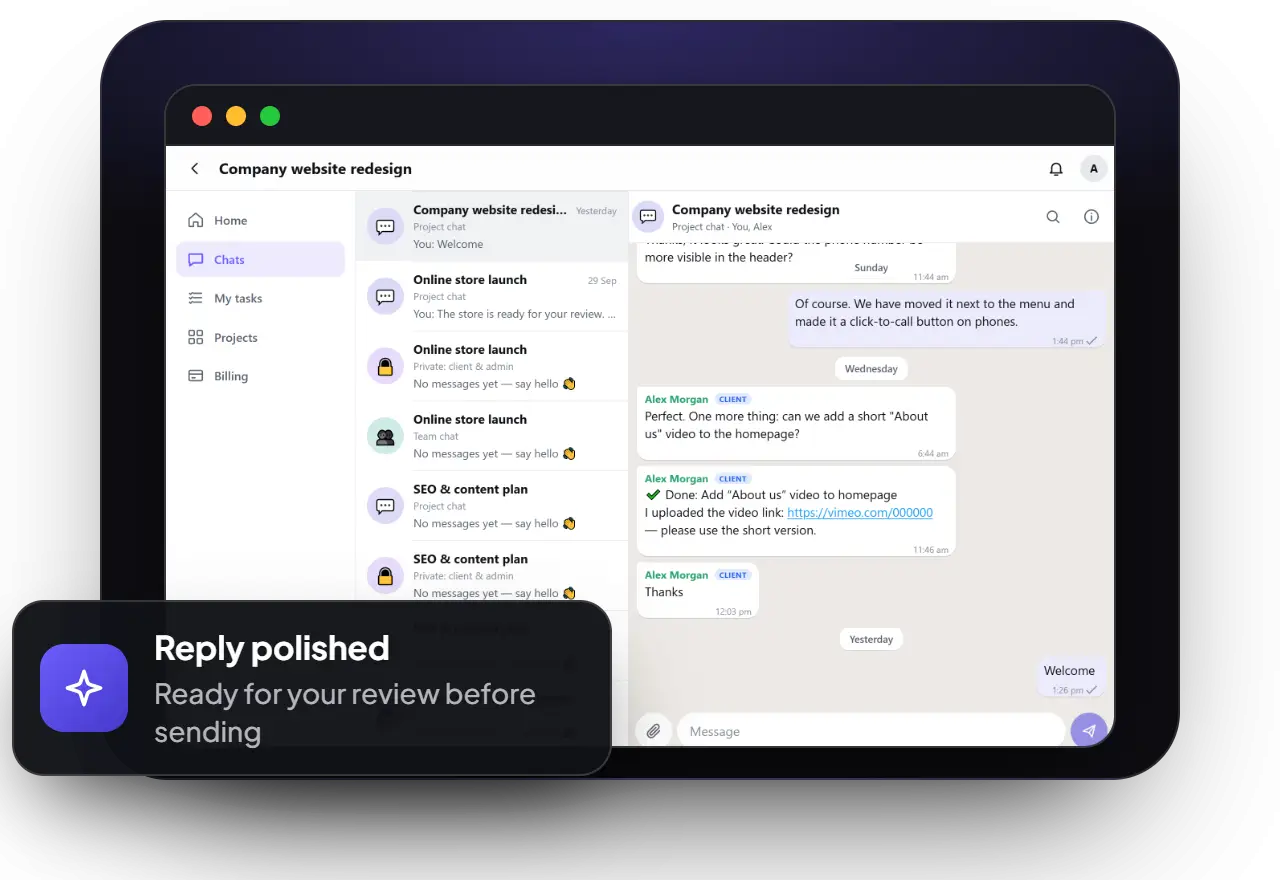
Translate or explain any chat message in your own language, straight from the message menu. Write your reply in your own words and the assistant turns it into polished, professional text in the client’s language, for you to check before it is sent. Everyone picks their own language and can switch the assistant off, and the help stays private: the other person simply sees your message.
Translate, explain, summarise and list action points
Translate and polish replies before sending, with a preview
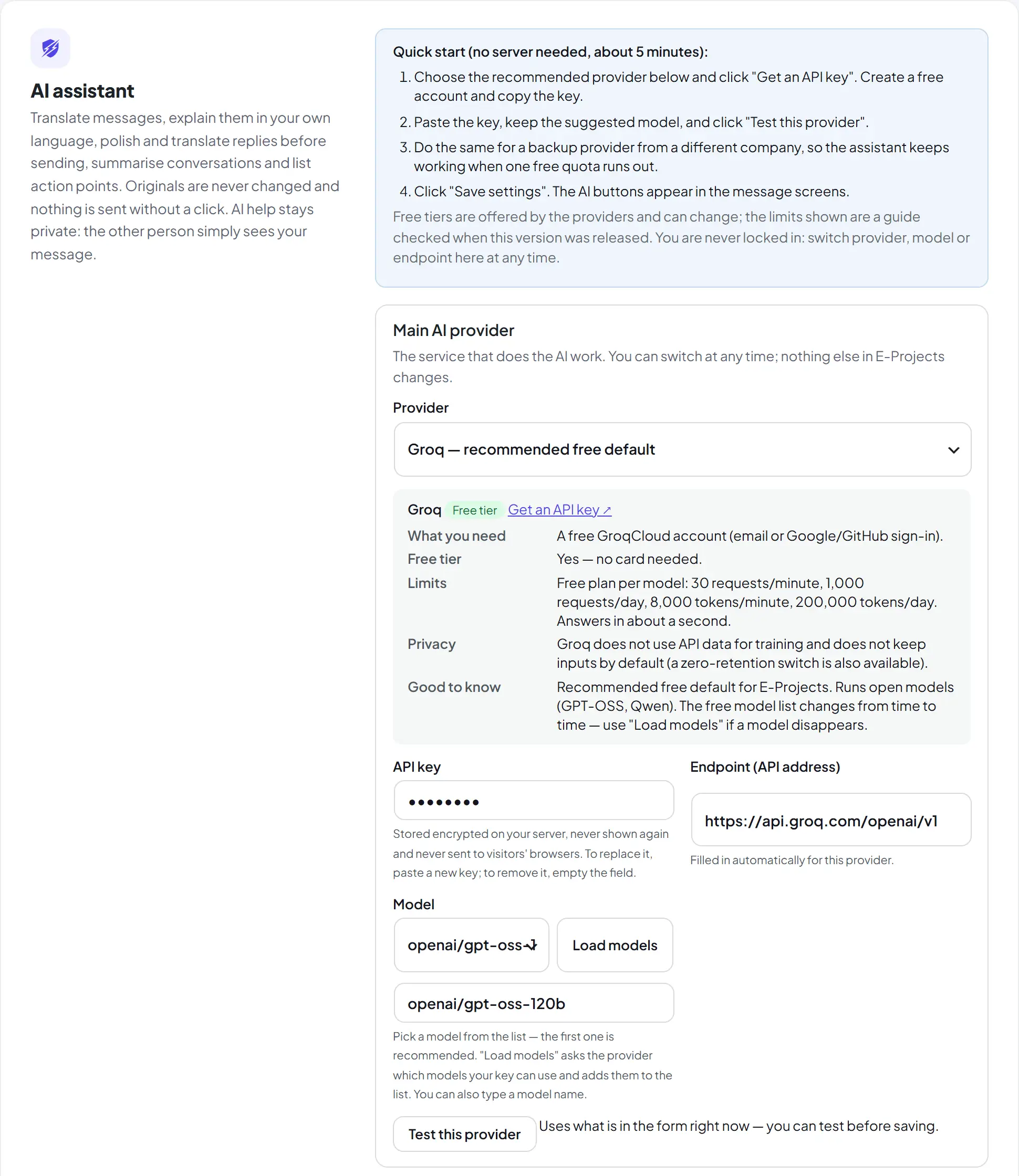
Works with free AI providers — no server of your own needed
A backup provider takes over when the first one is busy
Your team, anywhere
Run the work fromyour desk or your phone
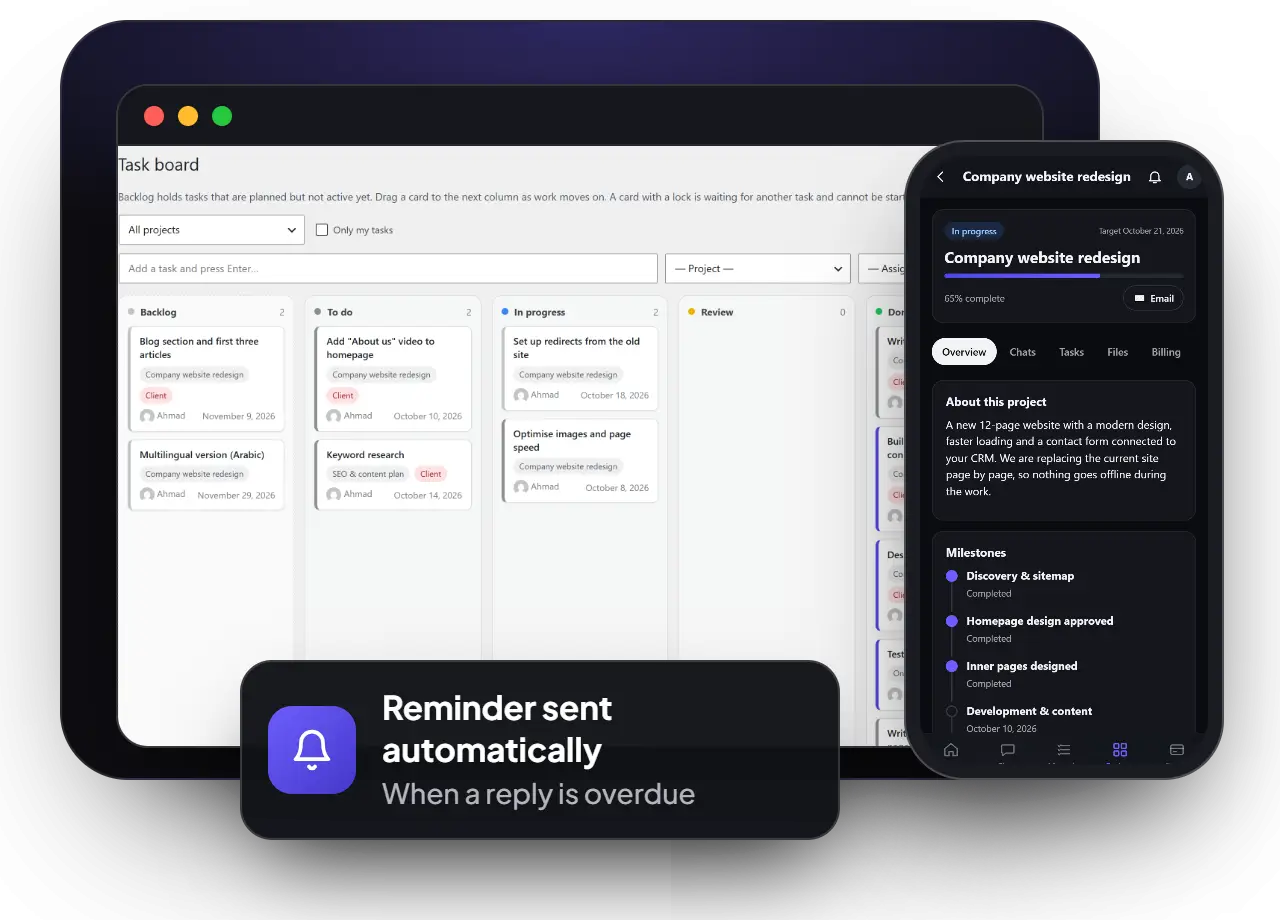
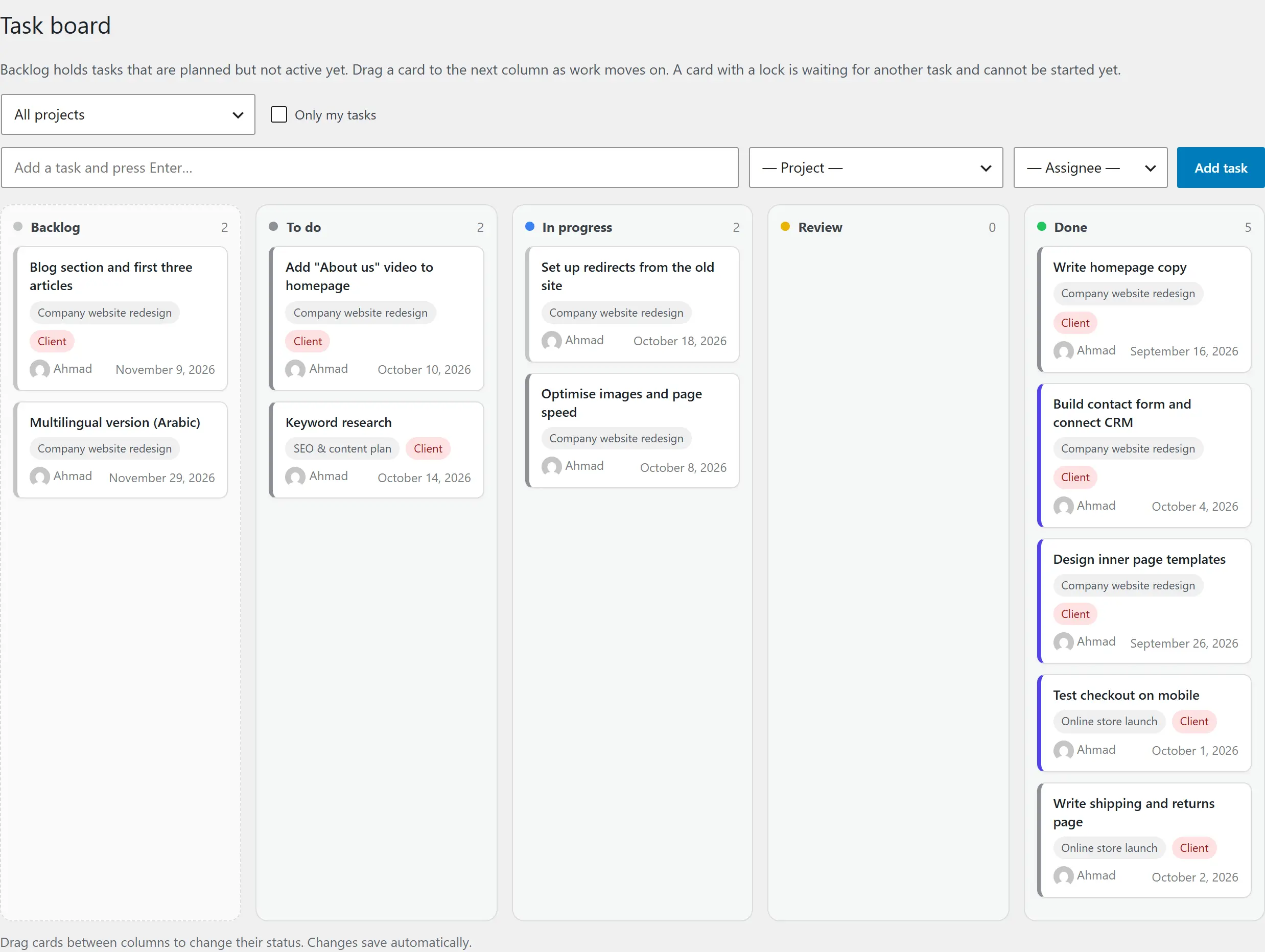
Your team plans on a drag-and-drop board with a backlog, tasks that wait for other tasks and requests for the client. Install ESoftWave Project Manager on a phone like an app, stay signed in and get a notification that opens exactly the right message, task or invoice.
Drag-and-drop board from backlog to done
Tasks that wait for others, and actions for the client
Phone app with notifications that open the right screen
Automatic reminders when something is waiting
Product tour
Take a look inside
Use the arrows to browse the screens — click any screenshot to see it full size.
A complete free plugin. Pro when your business grows.
The free ESoftWave Project Manager runs your projects, tasks, files and invoices with no limits on projects, clients or team members. Pro adds live chat and the tools that save you hours and bring money in faster.
What you get
Free
Pro
Projects and teamwork
Projects with milestones, progress and activity
Tasks and drag-and-drop board, with dependencies and client approvals
Files shared securely, with a photo viewer
People on each project, with one-tap email and WhatsApp
Client companies with several people, each with their own access
Roles, teams and a permission table
Phone app with push notifications
Project templates — start a project in one click
Communication
Notifications in the app, on phones and by email
Client answers on tasks — “Done / Approved” or “Changes needed”, with a note
Live chat: a project chat with the client, a private chat, a team chat, and a private chat between each team member and the admins
Read receipts, replies, reactions, @mentions and files in the chat
Comments pinned on images, and message history for admins
Quotes, invoices and payments
Quotes clients accept online
Invoices with schedules, discounts, tax and any currency
Bank transfer, mobile wallets and payment links, with payment proof
Payment dates, “send a reminder now” and project hold
Online payments with Safepay or any WooCommerce payment method — invoices mark themselves paid
Automatic reminders, final notices and automatic project hold
Recurring invoices for retainers and care plans
Reports with CSV export
Smart tools and support
AI assistant in the chat: translate, explain and polish messages, summaries
Every Pro feature is built to keep clients close, save time or bring money in sooner — and each one can be switched on or off.
Live chat with clients and your team
A project chat with the client, a private chat for prices and contracts, an internal team chat, and a private chat between each team member and the admins — live, with read receipts, @mentions, files and comments pinned on images.
Get paid by card
Clients pay online with Safepay (cards and bank accounts in Pakistan) or with any payment method you have in WooCommerce. The payment is confirmed automatically, the invoice marks itself paid and your team is told.
Follow-up on autopilot
Friendly reminders before, on and after the due date, a clear final notice, and an automatic project hold if an invoice stays unpaid.
Recurring revenue, invoiced
Retainers, hosting and care plans invoice themselves every week, month, quarter or year — and can be emailed automatically.
Know your numbers
Invoiced, paid and open amounts per period and currency, how old open invoices are, tax collected and revenue per client — with CSV export.
Every client in their language
Translate and explain chat messages, polish your replies and summarise long conversations — with the AI provider you choose.
Pricing
Simple licences. No automatic charges.
Every licence includes all Pro features, updates and support for one website. Choose how long — you get a reminder before it ends, and Pro keeps working for 5 more days so you can renew without interruption.
How buying works: tap a plan to message us on WhatsApp, we send you the payment details, and your licence key and download link arrive by email after payment. Install Pro next to the free plugin, paste the key — done.
Prices in US dollars. Need Pro on several websites, or an invoice for your company? Ask us on WhatsApp.
Licences and updates
How licences work
Updates in your dashboard
New versions appear under Dashboard → Updates like any other plugin, with “View details” showing what changed.
Reminder and grace period
Pro runs while your licence is active. Two days before it ends you get a reminder; after the end date Pro keeps working for 5 more days. Then only the Pro features pause until you renew — the free plugin and all your data stay.
Renew or upgrade any time
Extend with any plan or move to Lifetime. Your key stays the same; your website notices by itself.
Move to a new website
One website at a time per licence. Deactivate it on the old site and activate it on the new one in seconds.
The free version stays free
Pro is an add-on. Remove it any time and your projects, invoices and settings stay exactly where they are.
Secure by design
Every licence is confirmed by our server with a signed check, and downloads are only handed to active licences. Pro never stops your site — if a licence ends, only the Pro features pause.
How it works
Up and running in minutes
01
Install ESoftWave Project Manager
Install the plugin from WordPress.org and activate it. An ESoftWave Project Manager page is created for you — add your logo, colours and currency.
02
Invite your team and clients
Create a project, choose who works on it and invite the client. Everyone signs in on your own website.
03
Add Pro when you need it
Install Pro next to it and paste your licence key. Pro features appear at once — nothing to move or set up again.
Made for
Who this client portal plugin is for
Web & design agencies
Keep every client project, approval and invoice organised as you grow.
Teams working together
Plan and track work internally (and chat as a team with Pro) — with or without clients, across languages and currencies.
Freelancers & consultants
Look professional from the first quote to the final payment — without extra tools.
Peace of mind
Why you can rely on it
Your data stays on your website
Projects, messages, files and invoices are stored in your own WordPress database. Only text you choose to translate goes to your AI provider.
Clients only see their own work
Every screen checks who is signed in, and shared files cannot be opened by guessing an address.
API keys kept secret
AI keys are stored encrypted on your server and are never shown in the browser.
Works with your theme
ESoftWave Project Manager runs on a normal page with a shortcode — Elementor, the block editor or the classic editor.
Actively maintained
Regular updates with a public changelog — every change is listed below.
Built and used by ESoftWave
We run our own client work on it, so every feature comes from real projects.
Technical details
Requirements
ESoftWave Project Manager 3.1.0 · ESoftWave Project Manager Pro 1.1.0
WordPress 6.5 or newer (tested up to 7.1)
PHP 8.0 or newer
HTTPS for the phone app and notifications
Licence: GPL-2.0-or-later
Works with
None — works on its own with any theme or page builder
Optional: an SMTP plugin (e.g. FluentSMTP) for reliable email
Optional: an API key from an AI provider (free tiers available) for the AI assistant
HTTPS and the PHP OpenSSL extension for phone notifications
Yes. The free ESoftWave Project Manager is a complete project management plugin — projects, tasks, approvals, files, quotes, invoices and the phone app, with no limits on projects, clients or team members. Download it free from WordPress.org.
What does Pro add?
Live chat with your clients and team (a project chat, a private chat, a team chat, and a private chat between each team member and the admins), online payments (Safepay, or any WooCommerce payment method), automatic payment follow-up and project hold, recurring invoices, reports, project templates, the AI assistant and the contact monitor. Pro is a separate add-on you install next to the free plugin.
Is the chat included in the free version?
Live chat is part of Pro. In the free plugin, clients follow their projects, answer tasks and approvals with a note, share files, and reach you with one tap on WhatsApp, phone or email.
What happens when my licence ends?
You get a reminder two days before. After the end date Pro keeps working for 5 more days, so you can renew without interruption. After that the Pro features pause until you renew — with the same key. The free ESoftWave Project Manager and all your data are never affected.
Can I renew or upgrade later?
Yes. Renew with any plan, or upgrade to Lifetime at any time. Your key stays the same and your website picks up the change by itself.
Can I use one licence on several websites?
A licence covers one website at a time. You can move it whenever you want: deactivate it on one site and activate it on another. For several websites, ask us about a multi-site licence.
How do I pay?
Choose a plan above to message us on WhatsApp. We send you the payment details, and your licence key and download link arrive by email after payment.
How do updates work?
Paste your licence key once on the Licence screen. New versions then show up under Dashboard → Updates and install with one click.
Where is my data stored?
In your own WordPress database, on your own hosting. Projects, messages, files and invoices never pass through our servers. Pro only checks your licence and downloads updates.
Do my clients need a WordPress account?
ESoftWave Project Manager creates it for them. Clients get a “set your password” email and only ever see ESoftWave Project Manager — never the WordPress dashboard.
Does it work with my theme and page builder?
Yes. ESoftWave Project Manager lives on a normal page with a shortcode, so it works with Elementor, the block editor and any theme — and opens full-screen like an app by default.
Do I need an AI subscription for the AI assistant?
No. Paste an API key from a provider of your choice — several offer free tiers — or connect your own server. The assistant is optional and off until you set it up.
Start with the free plugin, add Pro when you want live chat, online payments and automation. Questions first? Message us — we’re happy to walk you through it.